AboutTermsPrivacyContact
 
Updating
Amazon WorkSpaces

Amazon WorkSpaces

Released: 2013-12-04
© 2022 AMZN Mobile LLC
Amazon WorkSpaces - QR Code
Version 2.4.28
17+
Download on the App Store
Version 2.4.28
17+
Download on the App Store
Released: 2013-12-04
© 2022 AMZN Mobile LLC

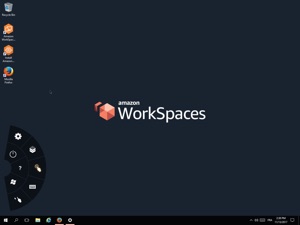
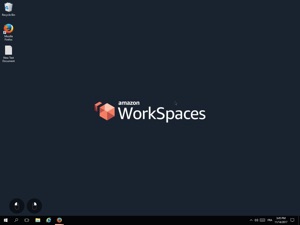
iPad Screenshots

Screenshot
Screenshot
Screenshot
Screenshot
Screenshot

Description

The Amazon WorkSpaces App connects you to an Amazon WorkSpace. Amazon WorkSpaces provides a fully-managed desktop service in the cloud. You can use Amazon WorkSpaces for all of your day-to-day computing needs such as editing documents, accessing web applications, and sending/receiving email. You need an existing Amazon Web Services account and to have provisioned a WorkSpace to use this app.

What's New in Version 2.4.28

- Fixed an issue that caused audio to stop when minimizing the app.
- Fixed an issue that prevented the copy/paste functionality from working properly.
- Updated the PCoIP SDK.
- Other bug fixes and enhancements.

Seller

Name

AMZN Mobile LLC

Information

Categories

Version

2.4.28

Size

15.2 MB

Game Center

No

VPP Device Licensing

Yes

Rating

Rated 17+ for the following:
Unrestricted Web Access

Compatibility

iOS 15.0 or later

Devices

iPad (5th Generation) Wi-Fi, iPad (5th Generation) Wi-Fi + Cellular, iPad (6th generation) Wi-Fi, iPad (6th generation) Wi-Fi + Cellular, iPad Pro, iPad Pro (Cellular), iPad Pro (9.7-inch), iPad Pro (9.7-inch) (Cellular), iPad Pro 12.9-inch (2nd generation), iPad Pro 12.9-inch (2nd generation) Wi-Fi + Cellular, iPad Pro (10.5-inch), iPad Pro (10.5-inch) Wi-Fi + Cellular, iPad Pro (11-inch), iPad Pro (11-inch) Wi-Fi + Cellular, iPad Pro 12.9-inch (3rd generation), iPad Pro 12.9-inch (3rd generation) Wi-Fi + Cellular, iPad Air, iPad Air (Cellular), iPad Air 2, iPad Air 2 (Cellular), iPad Air (3rd generation), iPad Air (3rd generation) Wi-Fi + Cellular, iPad mini Retina, iPad mini Retina (Cellular), iPad mini 3, iPad mini 3 (Cellular), iPad mini 4, iPad mini 4 (Cellular), iPad mini (5th Generation), iPad mini (5th Generation) Wi-Fi + Cellular, iPad (7th generation) Wi-Fi + Cellular, iPad Pro 11-inch (2nd generation), iPad Pro 11-inch (2nd generation) Wi-Fi + Cellular, iPad Pro 12.9-inch (4th generation), iPad Pro 12.9-inch (4th generation) Wi-Fi + Cellular, iPad Air (4th Generation) (Wi-Fi), iPad Air (4th Generation) (Wi-Fi + Cellular), iPad (8th generation) Wi-Fi, iPad (8th generation) Wi-Fi + Cellular, iPad Pro 11-inch (3rd generation), iPad Pro 11-inch (3rd generation) Wi-Fi + Cellular, iPad Pro 12.9-inch (5th Generation), iPad Pro 12.9-inch (5th Generation) Wi-Fi + Cellular, iPad (9th Generation), iPad (9th Generation) Wi-Fi + Cellular, iPad mini (6th Generation), iPad mini (6th Generation) Wi-Fi + Cellular, iPad Air (5th generation), iPad Air (5th generation) Wi-Fi + Cellular, iPad Pro 11-inch (4th generation), iPad Pro 11-inch (4th generation) Wi-Fi + Cellular, iPad Pro 12.9-inch (6th generation), iPad Pro 12.9-inch (6th generation) Wi-Fi + Cellular, iPad (10th generation), iPad (10th generation) Wi-Fi + Cellular, iPad Air 11-inch (M2) Wi-Fi, iPad Air 13-inch (M2) Wi-Fi, iPad Air 13-inch (M2) Wi-Fi + Cellular, iPad Pro 11-inch (M4) Wi-Fi, iPad Pro 11-inch (M4) Wi-Fi + Cellular, iPad Pro 13-inch (M4) Wi-Fi, iPad Pro 13-inch (M4) Wi-Fi + Cellular, iPad mini (A17 Pro) Wi-Fi, iPad mini (A17 Pro) Wi-Fi + Cellular, iPad (A16) Wi-Fi, iPad (A16) Wi-Fi + Cellular, iPad Air 11-inch (M3) Wi-Fi, iPad Air 11-inch (M3) Wi-Fi + Cellular, iPad Air 13-inch (M3) Wi-Fi, iPad Air 13-inch (M3) Wi-Fi + Cellular

Languages

English, Chinese, French, German, Italian, Japanese, Korean, Portuguese

App Store: Customer Ratings

Ratings & Reviews

2.0 of 5 (4 Ratings)

App Store: Customer Reviews

2025-06-03

Doesn't work on iOS18

Used this app for years. Upgraded to 18.5, crashes on start everytime. No guidance online as to why. Time to shift to AVD...
CakeholeAU
Version 2.4.27
2025-01-21

Works with iPad Pro Trackpad and Keyboard now!

Works with iPad Pro trackpad and keyboard now!
AndyMellow
Version 2.4.26
2024-11-12

Crashes, useless

Current version crashes as soon as I try enter my username or password
GingerbeerAU
Version 2.4.25
2024-10-30

Could be so good

The app doesn’t even connect to my workspace. This could be so useful if it worked! Very badly needs a relaunch.
Anorax8
Version 2.4.25
2021-07-08

Bug with 1600x1200 on iPad Pro Models

Has bug where the first inch of the right side of the screen does not update when running in 1600x1200 video resolution, this is disappointing as the 1024x768 resolution is far too low and reduces the screen real estate.
EDIT: I have found that this happens when using any resolution setting apart from “Default”, im assuming this has something to do with the resolution aspect ratio not matching the iPads screen resolution ratio.
TheToid
Version 2.4.18
2021-05-26

Drained my battery

Drained my fully charged iPad overnight after only using app for 5mins.
What’s it trying to do in the background????
Credit Where Its Due
Version 2.4.18
2021-05-03

App Crashes on load with IOS 14.5

App won’t open when using IOS 14.5. Crashes immediately. Hopefully an update is around the corner. Frustrating!
mmggGGGG
Version 2.4.17
2021-04-29

Won’t even open

Does not open so nothing to review here.
Even clicking the “App Support” button here in the App Store brings up an error code with “ AccessDeniedAccess Denied”. That says it all really.
ChrisM(Aus)
Version 2.4.17
2019-04-06

Please remove/reduce the thick, black border!

I’m really enjoying the Workspaces app on my iPad so far! The experience is reasonably smooth, and responsive. But it would be better if the app takes the full screen real estate of my iPad Pro (12.9 inch).
I’m seeing a very thick, black border around the Windows desktop which could be removed to make the experience seamless. If the border is needed for some technical reasons, then please reduce its thickness at least.
I’m looking forward for an update to fix this issue!
mithunreviews
Version 2.4.9
2017-02-02

Can't right click and drag on iPads

We recommend Amazon workspaces to one of our clients as a online Remote Desktop solution and it is nearly perfect for them.
Unfortunately they have found that because of the unique touch control on the iPad version they cannot right click and drag which is stopping them from rotating their 3D images to show customers.
Out client would be very happy if this was fix in the future version.
Accede Holdings
Version 2.2.2