AboutTermsPrivacyContact
 
Updating
Pixter Scanner OCR Document

Pixter Scanner OCR Document

Released: 2013-04-02
© QuanticApps
Pixter Scanner OCR Document - QR Code
Version 3.1
4+
Download on the App Store
Version 3.1
4+
Download on the App Store
Released: 2013-04-02
© QuanticApps

iPhone Screenshots

Screenshot
Screenshot
Screenshot
Screenshot
Screenshot

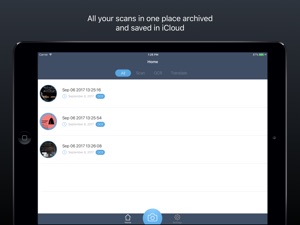
iPad Screenshots

Screenshot
Screenshot
Screenshot
Screenshot

Description

Pixter Scanner is a very useful application for:
- High school students, college students, Students
- When traveling abroad
- In your everyday life (Recipe, Books, Newspaper, etc.).
- Etc.
-------------------------------------------------
- Cult of Mac 04/08/2013 : "Pixter, A Fast, Accurate And Good-Looking OCR App For iPhone"
- 148Apps : "Compared to other OCR apps that I have used, Pixter Scan seems to be more accurate than most"
- MacLife : "Fast, accurate mobile optical character recognition. Built-in cropping. Wide range of translation and sharing options"
-------------------------------------------------
Pixter Scan OCR is a combination between Pixels (your pictures) and text (what you will get) by Optical character recognition usually abbreviated to OCR which is the mechanical or electronic conversion of scanned images of handwritten, typewritten or printed text into machine-encoded text.
Pixter Scan OCR is the most elegant and easy way extract text from your pictures. It's a powerful tool that turns your iPhone into a multi-functional mobile scanner with translation capability.
Snap a photo or choose an existing one from your library and the app will instantly extract your text from the picture.
Pixter Scan OCR turns your physical documents into a digital notes that you can edit, translate or share to many apps.
Pixter Scan OCR just works as advertised. It use an advanced image-processing algorithms to eliminate uneven lighting and shadows and improve contrast. The result is the clearest and most readable scans possible from the iPhone's camera.
What makes Pixter Scan OCR unique:
- Application Interface
It is clean, agile and focused on your productivity.
- OCR Recognition Language
OCR Scanner supports 32 recognition languages:
ENGLISH
BRAZILIAN
BULGARIAN
BYELORUSSIAN
CHINESE (SIMPLIFIED)
CHINESE (TRADITIONAL)
CATALAN
KOREAN
CROATIAN
CZECH
DANISH
DUTCH
ESTONIAN
FINNISH
FRENCH
GERMAN
GREEK
HUNGARIAN
INDONESIAN
ITALIAN
JAPANESE
LATIN
LATVIAN
LITHUANIAN
MOLDAVIAN
POLISH
PORTUGUESE
ROMANIAN
RUSSIAN
SERBIAN
SLOVAK
SLOVENIAN
SPANISH
SWEDISH
TURKISH
UKRAINIAN
- Picture Adjustment
You can crop your picture to only select the portion of text that you want to extract
- Editing
You can edit the extracted text to add or remove words.
- Sharing
You can share your text to almost all your favorite apps including:
# Email
# SMS
# Facebook
# Twitter
# Pages
# Evernote
# Word
# Pdf
# Doc2Go
# Dropbox
# and many more
- Translating
Recognize text can be instantly translated to more than 60 languages.
REQUIREMENTS
- Pixter Scan OCR requires network connectivity (WiFi or 3G/EDGE).
All processing happens on your iPhone, and the confidentiality of your data is never compromised. There is also no subscription fee.
you have any feedback, comments or issues? Please contact us directly at http://pixter.quanticapps.com/

What's New in Version 3.1

+ Added support for iOS 11 drag and drop new feature for iPad
+ Added support to iOS 11
+ Added support to the iPhone X screen size.
+ Fix other bugs

Seller

Information

Developer

Categories

Version

3.1

Size

32.6 MB

Game Center

No

VPP Device Licensing

Yes

Rating

Rated: 4+

Compatibility

iOS 9.0 or later

Devices

iPhone 4S, iPhone 5, iPhone 5c, iPhone 5s, iPhone 6, iPhone 6 Plus, iPhone 6s, iPhone 6s Plus, iPhone SE, iPhone 7, iPhone 7 Plus, iPhone 8, iPhone 8 Plus, iPhone X, iPhone XR, iPhone XS, iPhone XS Max, iPhone 11, iPhone 11 Pro, iPhone 11 Pro Max, iPhone SE (2nd generation), iPad 2 (Wi-Fi), iPad 2 (3G), iPad (3rd Generation) (Wi-Fi), iPad (3rd Generation) (4G), iPad (4th Generation) (Wi-Fi), iPad (4th Generation) (4G), iPad (5th Generation) Wi-Fi, iPad (5th Generation) Wi-Fi + Cellular, iPad (6th generation) Wi-Fi, iPad (6th generation) Wi-Fi + Cellular, iPad Pro, iPad Pro (Cellular), iPad Pro (9.7-inch), iPad Pro (9.7-inch) (Cellular), iPad Pro 12.9-inch (2nd generation), iPad Pro 12.9-inch (2nd generation) Wi-Fi + Cellular, iPad Pro (10.5-inch), iPad Pro (10.5-inch) Wi-Fi + Cellular, iPad Pro (11-inch), iPad Pro (11-inch) Wi-Fi + Cellular, iPad Pro 12.9-inch (3rd generation), iPad Pro 12.9-inch (3rd generation) Wi-Fi + Cellular, iPad Air, iPad Air (Cellular), iPad Air 2, iPad Air 2 (Cellular), iPad Air (3rd generation), iPad Air (3rd generation) Wi-Fi + Cellular, iPad mini (Wi-Fi), iPad mini (4G), iPad mini Retina, iPad mini Retina (Cellular), iPad mini 3, iPad mini 3 (Cellular), iPad mini 4, iPad mini 4 (Cellular), iPad mini (5th Generation), iPad mini (5th Generation) Wi-Fi + Cellular, iPad (7th generation) Wi-Fi, iPad Pro 11-inch (2nd generation), iPad Pro 11-inch (2nd generation) Wi-Fi + Cellular, iPad Pro 12.9-inch (4th generation), iPad Pro 12.9-inch (4th generation) Wi-Fi + Cellular, iPod touch (5th generation), iPod touch (6th Generation), iPod touch (7th generation)

Languages

English, Danish, Finnish, French, German, Italian, Japanese, Northern Sami, Portuguese, Russian, Spanish, Swedish

App Store: Customer Ratings

Ratings & Reviews

1.5 of 5 (7 Ratings)

App Store: Customer Reviews

2017-06-25

Not very good

Struggles with accurately identifying text.
calexmac
Version 2.2
2015-12-08

Essential app

Wouldn't be without this handy app. Does what it says on the tin: scans photos for text & accurately converts to text with a most effective OCR feature.
Henr3y
Version 2.2
2015-02-28

Useless

Waste of money. Results are gibberish.
Diamond Oz
Version 2.2
2015-01-28

Not Working Anymore

It was work perfectly while I am reading to scan and keep it. Unfortunately, it doesn't work now. Why?
Furitsu
Version 2.2
2015-01-08

Junk - waste of money

Zero Stars - complete junk. Do not waste your money on this.
absamdb
Version 2.2
2014-07-11

Abuses push notifications, terrible performance

Has some of the worst scrolling performance I've ever seen. I have 11 saved items and scrolling is ridiculously choppy. OCR works well but the app is horrible.
Also sends you push notifications to buy the developers other apps, falsely advertised as gifts
reecereviews
Version 2.1
2014-05-19

Rubbish!

Just purchased this app for use on iPad mini ..looked through the opening information pages and then took photo of sample text.
Result - the whole thing just locked up and would not work! ... What gives?.
hasselblad snapper
Version 2.0.2
2014-03-04

Great app that requires improvement

This app has a brilliant concept behind it and it has and could be very useful. I app is great as I say but it needs improvement and optimisations in every aspect of the application whether it be the long load times, not being able to rotate photos in app, occasionally sluggish, not being able to load or queue multiple photos, and a user interface where a few improvements would be very beneficial. This app has great potential if changes like these are made.
Fantastic Kid
Version 2.0.2
2014-02-28

Crashes

:/
Jiu0_0
Version 2.0.2
2014-02-21

Crashes constantly

When you can get this app to work, it's great. Most of the time it crashes, though.
It crashes when you open it.
It crashes when you open the camera.
It crashes when you take a picture.
It crashes when you scan the text.
It crashes when you edit the text.
It crashes when you open previously saved files.
It crashes ALL. THE. TIME.
But the seventh time you try, and it works by some miracle, it is handy.
Persistence and obstinance is key. And luck. And the magic touch.
………………………………..
Version 2.0.2
2014-01-18

OCR in my pocket....PERFECT

I had tried several OCR Apps on my iPhone 4S previously with disappointing results however since purchasing Pixter I have never looked back. Simple to use, in formatted text, fast and extremely accurate. Well done.
iPhone_user13
Version 2.0.2
2013-12-05

Works really well!

Interface is a bit crude, but the OCR works very effectively.
DavidDownUnder
Version 2.0.2
2013-11-12

i will test

not very responsive on ipad mini
Luigiwrk
Version 2.0.2
2013-11-02

Awesome

I don't normally review stuff but this app if fantastic. Fully worth the $3
robert8s
Version 2.0.2
2013-10-07

Nice app, but...

Seems to work well. But needs to handle situation where NOT connected to network. Whilst you do say in the app description that it requires network connection, I was initially unaware of this and trying repeatedly and app appeared to work but then would just lock up. So, needs to report absence of network connection to user. Also, I wanted to scan English, not American as indicated by the language flag icon.
chrisn_
Version 2.0.2
2013-09-18

Great app

This is a great app, it's really useful
Chocolate_Thundaa01
Version 2.0.2
2013-09-18

Old retired fella

Have a previous OCR app which was not all that satisfactory - will replace it with Pixster! Results are amazing!
BroopeyBoy
Version 2.0.2
2013-09-18

Excellent

Really nicely designed app, works well
Mightymike41
Version 2.0.2
2013-09-17

Simple and accurate. Exactly what I wanted

Gives you unformatted text. No paragraph breaks.
Mike.1066
Version 2.0.2
2013-09-16

Awesome

Sometimes gets it slightly wrong, but that's my fault! (Bad lighting)
Otherwise, amazing! Must have
chaau
Version 2.0.2
2013-09-16

Works seamlessly

Astounding ORC scanner. Perfectly scans all of the documents I've tried.
Teejmjay
Version 2.0.2
2013-09-16

Awesome app I hav downloaded till now !!!!!

Awesome app I hav downloaded till now !!!!! :D
Bhuvan12345678
Version 2.0.2
2013-07-09

Awesome utility

This app is the perfect tool for document duplication or backup, or if you need to extract text from pictures. Works very well with a smooth, easy to use interface. I deducted one star because on my 4S it can be a memory hog with slow downs and occasional crashes, but with newer phones you should have no problems. Overall great app and makes life way easier :)
dashmay
Version 2.0
2013-05-17

The best OCR App I have found

For mobiles, this app is perfect accessing your photos (or screen shoots) in addition to decoding new photos.
Delphicrc
Version 1.0.1