AboutTermsPrivacyContact
 
Updating
LightBlue®

LightBlue®

Released: 2012-09-08
© Punch Through Design LLC
LightBlue® - QR Code
Version 4.2.3
4+
Download on the App Store
Version 4.2.3
4+
Download on the App Store
Released: 2012-09-08
© Punch Through Design LLC

iPhone Screenshots

Screenshot
Screenshot
Screenshot
Screenshot

iPad Screenshots

Screenshot
Screenshot
Screenshot
Screenshot

Description

LightBlue® can connect you to all of your devices that use Bluetooth Low Energy (also known as Bluetooth Smart, or Bluetooth Light).
LightBlue® has two modes, central and peripheral. In central mode, you can scan for and connect to all BLE devices around you. Once connected, you have a detailed view of all the device's profiles, from which you can read and write to characteristics and subscribe to notifications.
To enter BLE peripheral mode, navigate to the "Virtual Devices" tab and tap on the "+" icon to create a virtual device. When the blue checkmark is checked for a device, your iOS device is advertising as that particular BLE peripheral. LightBlue® allows you to customize the services and characteristics of any virtual peripheral profile. You can also clone any peripheral you connect to in central mode and save that profile to your list of virtual peripherals—simply connect to a device and tap on the "Clone" button on the top right of the screen.
Full support of read, write, and notify is included. You can view the signal strength (RSSI) to get an idea of how close you are to the peripheral.
The log tab allows you to keep track of all significant BLE events that occur while using the app (e.g., device discovery, connection, reading, writing), and you can share the content of the log.
Use LightBlue® to test your new BLE Heart Rate Monitor, temperature sensor, Microchip AVR-BLE and PIC-BLE development boards, TI CC2540 Keyfob, Nordic uBlue, Panasonic PAN1720, etc. LightBlue® is also ideal for developers wanting to test the firmware of their own BLE peripherals.
Key features:
- Scan and discover Bluetooth peripherals in the vicinity
- See basic device info (UUID, RSSI)
- Browse services and characteristics
- Register for notifications and indications
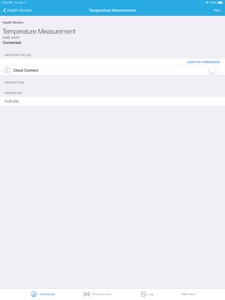
- Send data from notifications and indications to AWS IoT or Adafruit IO via our Cloud Connect feature
- Read values from characteristics
- Write to characteristics in Hex, Oct, Bin, Decimal or ASCII
- Clone peripheral profiles
- Choose from an array of common, preconfigured peripheral profiles
- Advertise as a peripheral using custom profiles
- Thoroughly log and share BLE events
- Custom UI and extended support for connecting to Microchip AVR-BLE and PIC-BLE development boards

What's New in Version 4.2.3

Fixed bugs that were discovered in previous release

Seller

Name

Punch Through Design LLC

Information

Developer

Categories

Version

4.2.3

Size

30.5 MB

Game Center

No

VPP Device Licensing

Yes

Rating

Rated: 4+

Compatibility

iOS 11.0 or later

Devices

iPhone 5s, iPhone 6, iPhone 6 Plus, iPhone 6s, iPhone 6s Plus, iPhone SE, iPhone 7, iPhone 7 Plus, iPhone 8, iPhone 8 Plus, iPhone X, iPhone XR, iPhone XS, iPhone XS Max, iPhone 11, iPhone 11 Pro, iPhone 11 Pro Max, iPhone SE (2nd generation), iPhone 12, iPhone 12 Pro, iPhone 12 Pro Max, iPhone 12 mini, iPhone 13, iPhone 13 Pro, iPhone 13 Pro Max, iPhone 13 mini, iPhone SE (3rd generation), iPhone 14, iPhone 14 Plus, iPhone 14 Pro, iPhone 14 Pro Max, iPad (5th Generation) Wi-Fi, iPad (5th Generation) Wi-Fi + Cellular, iPad (6th generation) Wi-Fi, iPad (6th generation) Wi-Fi + Cellular, iPad Pro, iPad Pro (Cellular), iPad Pro (9.7-inch), iPad Pro (9.7-inch) (Cellular), iPad Pro 12.9-inch (2nd generation), iPad Pro 12.9-inch (2nd generation) Wi-Fi + Cellular, iPad Pro (10.5-inch), iPad Pro (10.5-inch) Wi-Fi + Cellular, iPad Pro (11-inch), iPad Pro (11-inch) Wi-Fi + Cellular, iPad Pro 12.9-inch (3rd generation), iPad Pro 12.9-inch (3rd generation) Wi-Fi + Cellular, iPad Air, iPad Air (Cellular), iPad Air 2, iPad Air 2 (Cellular), iPad Air (3rd generation), iPad Air (3rd generation) Wi-Fi + Cellular, iPad mini Retina, iPad mini Retina (Cellular), iPad mini 3, iPad mini 3 (Cellular), iPad mini 4, iPad mini 4 (Cellular), iPad mini (5th Generation), iPad mini (5th Generation) Wi-Fi + Cellular, iPad (7th generation) Wi-Fi + Cellular, iPad Pro 11-inch (2nd generation), iPad Pro 11-inch (2nd generation) Wi-Fi + Cellular, iPad Pro 12.9-inch (4th generation), iPad Pro 12.9-inch (4th generation) Wi-Fi + Cellular, iPad Air (4th Generation) (Wi-Fi), iPad Air (4th Generation) (Wi-Fi + Cellular), iPad (8th generation) Wi-Fi, iPad (8th generation) Wi-Fi + Cellular, iPad Pro 11-inch (3rd generation), iPad Pro 11-inch (3rd generation) Wi-Fi + Cellular, iPad Pro 12.9-inch (5th Generation), iPad Pro 12.9-inch (5th Generation) Wi-Fi + Cellular, iPad (9th Generation), iPad (9th Generation) Wi-Fi + Cellular, iPad mini (6th Generation), iPad mini (6th Generation) Wi-Fi + Cellular, iPad Air (5th generation), iPad Air (5th generation) Wi-Fi + Cellular, iPad Pro11FourthGen, iPad Pro11FourthGenCellular, iPad ProSixthGen, iPad ProSixthGenCellular, iPad TenthGen, iPad TenthGenCellular, iPod touch (6th Generation), iPod touch (7th generation), Mac Desktop

Languages

English

App Store: Customer Ratings

Ratings & Reviews

4.0 of 5 (43 Ratings)

App Store: Customer Reviews

2020-03-03

Find my Alta hr

This application works much better than paid apps. I lost my Alta hr inside my room. I found it within minutes by using light blue.
Thanks
seaforth999
Version 3.1.1
2019-10-13

Great App!

Fantastic app! A little slow, but managed to find my fit bit - very happy!
CPallister
Version 3.0.4
2018-09-25

Great App

I just downloaded the App & found my lost fitbit within 3 minutes. thank you!
lorettaaust
Version 2.6.4
2018-01-13

Happy

Thought my Fitbit was gone! Found it easily.
Mimi92139
Version 2.6.4
2017-12-28

Helped find my fitbit!

Like probably many others, helped find a lost fitbit within the house.
echorand
Version 2.6.4
2017-11-22

No help finding my fitbit

I downloaded this app after losing my fitbit because everything I read said it would help. Thankfully I ended up finding it but unfortunately not with the help of the app. My fitbit for some reason does not show up on the app although other items around the house did. 🤔
jodiehughes6
Version 2.6.4
2017-10-25

Amazing!!!

Wow. Just found my Fitbit tracker that I lost 2 weeks ago. Thankfully it hadn’t gone flat! Who would have thought!!!
Ranga mum
Version 2.6.2
2017-02-22

Can't use it

Reviews seem to indicate this is great. Can anyone find instructions anywhere ? Can't figure it out at all
CJ10a
Version 2.4.0
2017-02-04

Forth time lucky.

Once again, discovered my Fitbit One missing. I'd been working in the paddock, and it could have been anywhere within a 100m x 100m area. Fired up the trusty LiteBlue App, checked that my wife's Fitbit was visible, and off we went. Within 30 seconds of the back door, there was a signal, and within five minutes of walking slowly to find where the signal dropped out, back tracked to peak the signal, then walking tangentially... there it was, lying in the grass where it must have dropped out of the holder. Thank you folks for making the effort to build this App - forth time I've lost the Fitbit One, and forth time I've found it with your application.
Cheers,
vk6qi
vk6qi
Version 2.4.0
2016-10-23

Worked well... but only on a later model iPad.

Loaded the app onto my early model iPad, and spent hours searching in a paddock for a lost Fitbit One... no luck. The log said "can't find central manager - delaying scan". Turned out that the older iPad wasn't able to find Low Energy bluetooth devices. Loaded the app onto a slightly newer iPad, and it immediately detected another Fitbit, and after a few minutes of looking like a goose walking up and diwn the paddock, detected my lost Fitbit, buried in long grass... impossible to find without this excellent application. Suggest a note on the Apple store website or the PunchThrough website about not the log indicating whether or not it'll detect low energy devices would save users like me wasting time trying to detect a device that just won't wrk. Thanks PunchThrough for an otherwise very useful app.
Bert goo
Version 2.4.0
2016-10-16

.

..
___Wazza___
Version 2.4.0
2016-08-22

Helped me find my Fitbit

Took a bit to work out how to use - some instructions would be good. But worked great and found my Fitbit in minutes. :)
sarah1854
Version 2.4.0
2016-01-09

Very Useful

Have never lost my FitBit One but have misplaced it so many times around the house and LightBlue helps me to find it every time.
Just brilliant - thank you!
viva61
Version 2.2.6
2015-05-31

10/10

I used this app to find my misplace FitBit tracker. It was simple to use and after a couple of steps around my house I was able to pin point it's location with ease.
Wordington the third.
Version 2.2.2
2015-05-20

Brilliant!

Lost my Fitbit Charge. Knew it was in the house because I could sync it. Searched everywhere! Used this app & walked around house. FOUND!! Without app never would've found it. Fitbit was in a bag I'd been searching. Never would've checked it! Thanks!!
KatrinaTobin
Version 2.2.1
2015-02-26

Fantastic

The best BLE app for development! Thank you for such an useful application
Transpolishmansontonman
Version 2.2.0
2014-12-05

Useful app!

While other apps seem to have trouble with Fitbit Flex signal strength (showing 127dB always), this app shows correct values. Helped find a lost Fitbit!
Also only shows low energy devices, so better for Fitbit location
FitbitOwner
Version 2.1.6
2014-09-09

Found

Lost my fitbit in the park. I downloaded the app and retraced my steps and found the needle in the haystack.
Everapominoz
Version 2.1.2
2014-09-02

Found

Found my fitbit - excellent.
Rigbeedog
Version 2.1.2
2014-08-26

Game Changer

These Beans are going to change the world. Thank you Punch Through Design!
Keep up the great work.
Kick.it @Kickit
Kick.it
Version 2.1.2