AboutTermsPrivacyContact
 
Updating
File Converter

File Converter

Released: 2012-02-02
© Ice Cold Apps
File Converter - QR Code
Version 9.8.6
4+
Download on the App Store
Version 9.8.6
4+
Download on the App Store
Released: 2012-02-02
© Ice Cold Apps

iPhone Screenshots

Screenshot
Screenshot
Screenshot
Screenshot
Screenshot
Screenshot
Screenshot
Screenshot

iPad Screenshots

Screenshot
Screenshot
Screenshot
Screenshot
Screenshot
Screenshot

Description

File Converter will convert from and to almost every file format while saving you time and battery! With support for over 2.000 source formats we're working hard to stay the most complete converter app.
The File Converter app converts files in the conversion cloud so your battery isn't wasted, you can continue using your device and your conversions will be much faster. Offline conversion is supported for Audio and Video.
Convert to:
• Video converter: convert movies to 3G2, 3GP, AVI, DPG, FLV, GIF, H264, M4V, Matroska MKV, Quicktime MOV, MP4, MPG, OGV, SWF, VOB, WebM VP8, WEBP and WMV. Profiles for iPad, iPhone, iPod, Nintendo, Playstation, Wii, XBOX, more!
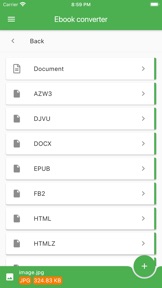
• Ebook converter: convert to AZW, AZW3, DJVU, DOCX, ePub, FB2, HTML, HTMLZ, LIT, LRF, MOBI, OEB, PDB, PDF, PML, PRC, RB, RTF, SNB, TCR, TXT, TXTZ, more!
• Document converter: document to DJVU, Microsoft Word DOC, DOCX, HTML, Open-Office ODT, OTT, PDF, RTF, TEX, TXT, UOT, WPS
• Presentation converter: ODP, OTP, PDF, PPS, PPSX, PowerPoint Presentation PPT, PPTX, SWF, UOP
• Spreadsheet converter: CSV, DIF, GNM, HTML, ODS, OTS, PDF, SLK, TEX, TXT, UOS, XLSM, XLS, XLSX, XLT, XLTX, XML
• Markup converter: DJVU, HTML, INFO, Markdown MD, PDF, TEX, TEXI, TEXT, TEXTILE, TXT, WIKI, more!
• Audio converter: convert music to AAC, AC3, AIFF, FLAC, M4A, M4R, MIDI, MMF, MP3, MPA, OGG, OPUS, WAV, WMA
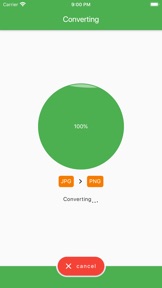
• Image converter: convert photos to AI, BMP, EPS, EXR, GIF, HEIC, ICO, JPEG, JPG, PCX, PNG, PS, PSD, SVG, TGA, TIFF, WBMP, WEBP
• 3D converter: convert 3d model to 3DS, BRP, CTM, DAE, FBX, IGS, OBJ, STL, STP, STPZ, WRL, X3D, GCODE, SVG, Slicing, more!
• CAD converter: convert engineering drawing to DWG, DXF, PDF, Map tiles, more!
• LaTeX / ConTeXt converter: research to PDF, TEX, DOCX
• Color palette converter: ACO, ASE, CPL, GPL, JCW, JSON, SKP, SOC, TXT, XML, more!
• Texture converter: ASTC, DDS, EXR, KTX, TGA
• Mesh converter: FEM, MESH, MSH, OBJ, VTK, VTU
• Font converter: convert fonts to BIN, CFF, DFONT, EOT, FON, OTF, PFA, PFB, PT3, T11, T42, TTF, TTF.BIN, UFO, WOFF, WOFF2, more!
• Embroidery converter: CSD, DST, EXP, HUS, JEF, PCS, PEC, PES, SEW
• Statistics converter: Stata DTA, SPSS SAV, SAS SAS7BDAT, SAS XPT
• GPS converter: convert gps tracks to CSV, GDB, GPX, HTML, KML, KMZ, LOC, NMEA, SDF, TCX, TRK, TXT, USR, WPT, more!
• Gerber converter: CNC, GBR, ISEL, PDF, more!
• Subtitle converter: CSV, JSON, LRC, RT, SCC, SMI, SRT, SSA, STL, SUB, TTS, TXT, USF, VTT, XML, XSUBTITLE
• Archives: compress 7Z, ARJ, TAR BZ2, CAB, EXE, KGB, LZH, RAR, RUN, SFX, SHAR, TAR, BZ2, TAR GZ, XZ, YZ1, ZIP
• Web converter: HAR, HTML, MHTML, more!
• Generate Hash: Adler32, HTPasswd, Blowfish, CRC32, DES, MD4, MD5, RIPE, SHA, Tiger, Whirlpool
• Metadata: delete / view metadata
• Scientific: NC, CDL
• Repair: PDF, RAR, STL, ZIP, Audio, Video
Examples:
• Extract music from video
• View hidden metadata
• Convert Word to PDF
• Video to animated GIF
• Text to audio: listen to an ebook / audio book (text to speech, tts)
• PDF to Word file to edit
• Raster image to vector
• Camera RAW file to image
• Extract text from image with OCR
• Create ringtones and cut audio
• XPS to PDF or XLS to PDF
• Website URL to image or ebook
Some optional settings:
• Video conversion: codec, rotate, stabilize, etc
• Audio conversion: bitrate, frequency, trim, etc
• Ebook conversion: metadata, e-book reader: Amazon Kindle, Sony, Apple iPad, Kobo, Nook, tablet, etc
• Images conversion: size, filters, dpi, etc
• Documents conversion: OCR (text recognition), etc
• CAD drawing: color, scale, margin, etc
More!
Notes:
• We can't convert: password protected files (secured pdf, encrypted), DRM protected and files bigger than 100mb!
• Files get uploaded SECURELY and will be DELETED immediately after the conversion is done or failed. We don't keep any copies or logs!

What's New in Version 9.8.6

- Added more conversions
- Added more settings
- Increased conversion engine speed

Seller

Name

Sander Staal

Information

Developer

Categories

Version

9.8.6

Size

74.3 MB

Game Center

No

VPP Device Licensing

Yes

Rating

Rated: 4+

Compatibility

iOS 11.0 or later

Devices

iPhone 5s, iPhone 6, iPhone 6 Plus, iPhone 6s, iPhone 6s Plus, iPhone SE, iPhone 7, iPhone 7 Plus, iPhone 8, iPhone 8 Plus, iPhone X, iPhone XR, iPhone XS, iPhone XS Max, iPhone 11, iPhone 11 Pro, iPhone 11 Pro Max, iPhone SE (2nd generation), iPad (5th Generation) Wi-Fi, iPad (5th Generation) Wi-Fi + Cellular, iPad (6th generation) Wi-Fi, iPad (6th generation) Wi-Fi + Cellular, iPad Pro, iPad Pro (Cellular), iPad Pro (9.7-inch), iPad Pro (9.7-inch) (Cellular), iPad Pro 12.9-inch (2nd generation), iPad Pro 12.9-inch (2nd generation) Wi-Fi + Cellular, iPad Pro (10.5-inch), iPad Pro (10.5-inch) Wi-Fi + Cellular, iPad Pro (11-inch), iPad Pro (11-inch) Wi-Fi + Cellular, iPad Pro 12.9-inch (3rd generation), iPad Pro 12.9-inch (3rd generation) Wi-Fi + Cellular, iPad Air, iPad Air (Cellular), iPad Air 2, iPad Air 2 (Cellular), iPad Air (3rd generation), iPad Air (3rd generation) Wi-Fi + Cellular, iPad mini Retina, iPad mini Retina (Cellular), iPad mini 3, iPad mini 3 (Cellular), iPad mini 4, iPad mini 4 (Cellular), iPad mini (5th Generation), iPad mini (5th Generation) Wi-Fi + Cellular, iPad (7th generation) Wi-Fi + Cellular, iPad Pro 11-inch (2nd generation), iPad Pro 11-inch (2nd generation) Wi-Fi + Cellular, iPad Pro 12.9-inch (4th generation), iPad Pro 12.9-inch (4th generation) Wi-Fi + Cellular, iPod touch (6th Generation), iPod touch (7th generation)

Languages

English

App Store: Customer Ratings

Ratings & Reviews

3.0 of 5 (3 Ratings)

App Store: Customer Reviews

2020-04-06

Can’t convert video!

When I go into convert video it only gives me an option of photos. I bought this app to convert a video to wmv, unfortunately I cannot do this.
The Go-Betweens Fan
Version 9.4.17
2019-01-18

File converter

This was a scam had to pay for the app but doesn’t work on anything other than iOS 10
Not good enough. You took peoples money so update the the app.
Elroy*2011
Version 4.80
2018-09-04

iOS 11

The 4 star rating was when it was working, currently 0 stars. Developers need to update the app to work with iOS 11. Paid for the app now cannot use it. Kind of like buying a car then in two years time you can’t drive it anymore but you have a photo of it. PLEASE UPDATE THIS APP!
Ash 6788
Version 4.80
2016-12-23

Rubbish

Wanted to trial the free one but it forced me to spend $4 to buy full version to convert audio file to WAV. Now returning errors saying can't access internet. Have tried wifi and 4G with same error. Strangely I am writing a review now, so I'd say my internet is OK.
Topshelf 25
Version 4.80
2015-07-01

Review of this app

Heap of junk. Numerous attempts to convert files in a range from 64KB up to 2Mb & all failed due to time out for conversion. Very slow access to their servers and not one conversion successful - tried jpg, MP4 and PDF.
Strongly urge to bypass this and save your money / look elsewhere.
Total Fabrication
Version 4.80
2014-04-09

Video file - no sound

Converted a .vob file to MPEG and avi and both times no sound was transferred. Can someone help please!!!
Mr ssh
Version 4.80
2013-09-22

Great App

Love it.
AzaJ85
Version 4.80
2013-05-03

Great app!

Great for mp4 to mp3. That's all I use it for anyways.
Ap2234
Version 4.80
2013-03-25

Still can't convert ebooks

The app still can't convert documents to ebooks without wrecking the formatting. Wouldnt really be a problem with a free version, but as this is the full price you would expect better. Otherwise works fine.
dream_demon4
Version 4.80
2013-03-03

Great app

It's works a treat totally cool app
Nixta 71
Version 4.80
2012-12-29

Thank you

Fantastic app, works well every time!
Thank you
Vypar
Version 4.80
2012-12-28

Does what it says on the tin

Awesome
Hoglampy
Version 4.80
2012-10-22

Scam?

Well, bought the app with high hopes after the free version only allowed one attempt (which was inconclusive). Have tried five different file types to convert a Zip file to and all show "Error"?
Scam? Or update needed for it to convert Zip files?
Disappointed.
SN1P1R
Version 4.61
2012-10-18

Excellent!!

Works perfectly. Highly recommended!
Word player6532567886
Version 4.61
2012-09-15

More work needed

9 out of ten times there was a problem with sending an apple audio file to be converted to Mp3. When it works it's good but can't rely on it when there is a deadline to send the converted file.
Kram snhoj
Version 4.16
2012-08-15

Awesome

Helped me a lot with my files at school.. This is just the best! Its easy to use and quickly converts one file to another.. *two thumbs up* =)
Dons85
Version 4.16
2012-07-20

Excellent for conversions

Converts perfectly! Especially ppt to pdf (the text and alignment stuffs up with other conversion programs) but this one works very well. Very happy with purchase and highly recommend
Sally Kimchi
Version 4.16
2012-05-09

Finally a working app for my Kindle

I'd been on the lookout for a easy way to convert docs. pdf's etc. for my Kindle so that they work properly on my Kindle. This is the best one in the App Store.
One of the features is it's compatibility with the 'Open in...' option on the iPad or iPhone. This allows you to select documents while in another app and open them in File Converter. Very easy. For example if you are reading a PDF file in Safari you can tap on the document anywhere and select 'Open in...' which will present you with a drop-down box to select which app you'd like to open the document in.
**Note: if you cannot see File Converter in the drop-down list then you already have 10 apps using this same feature. Apple has limited the quantity of apps in the drop-down box to 10. This is not File Converter's fault. Simply delete/uninstall an app in that list that you don't use anymore and File Converter will magically appear in the 'Open in..." drop-down box.
I look forward to many more updates and new features from the developer for this very hand tool.
jadmorffier
Version 3.2
2012-03-10

Handy little app

Works as stated, easy to use and very handy when importing docs into other apps at don't accept all formats.
MellyMel80
Version 3.2