Description
Ryotei is an app for recording and playing travel routes.
Do you want to know the elevation of the roads you always drive or your precise location on a map? After losing your way, would you like to confirm the location where you got lost?
Ryotei is an app for people who enjoy exploring roads and driving along mountain passes.
Record list
- After starting Ryotei, the record list screen will be displayed.
- The record list screen contains both list display and calendar display modes. You can switch between these modes.
- From this screen, you can record, end recording, start the camera, or move to the settings screen.
- From the settings screen you can complete settings for records and displayed units (meters, miles, feet, etc.).
Start/end record
- Records are immediately stopped according to the time you set when beginning the record.
- They can also be stopped manually during recording.
- The maximum recording time is 24 hours.
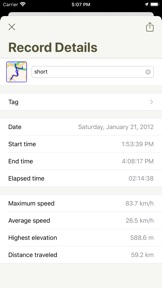
- Both screens always display numerical values for elevation, speed (per hour), distance travelled, and time (real time/elapsed time).
Play
- Ryotei’s play screen contains map display and graph display modes. These can be changed using the switch button.
- Support Landscape and Portrait display play screen.
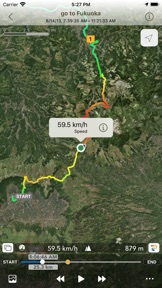
- In the map display mode, an icon indicating your travel direction will be displayed. You can move about the travel route while playing records.
- In the graph display mode, your elevation and speed will be displayed as a line graph. During play the entire graph will scroll from side to side.
- Numerical values for elevation, speed, distance travelled, and time (real time/elapsed time) are always displayed on the play screen.
- Use the button on the bottom right to place pins or waypoints on the map. You can also select between real time and elapsed time for the time displayed on the play screen.
Note: When playing information that is currently being recorded, it may take some time to display the latest information (it is not updated in real time).
Assigning colors to travel routes
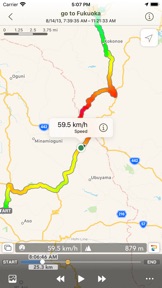
- Compared to travel routes of one color, assigning colors to travel routes according to speed or elevation makes it much easier to understand detailed information about records.
- Assigning colors according to elevation makes it easy to see differences in elevation, while assigning colors according to speed makes it easy to understand the approximate timing of braking and acceleration.
- Turning this setting off displays travel routes in one color.
Waypoints
- You can place waypoints on travel routes on the map screen and graph screen.
- Elapsed time, average speed, travel distance, and other waypoint-related information is displayed on the waypoint information screen.
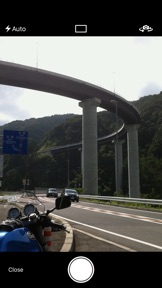
Taking photographs
- The photograph function receives GPS radio waves and can only be used while recording (it may not be possible to take photographs in locations such as indoors).
- This app records your photographs, latitude, longitude, elevation, and directions the photographs were taken. Photographs are saved to the Camera Roll together with information about their latitude, longitude, elevation, and directions the photographs were taken.
- Camera icons displaying the locations the photographs were taken, as well as the directions they were taken, are displayed on the map screen. From the photograph information you can refer to the photographs that were taken and detailed information.
Export KML/KMZ/GPX/CSV files
- Your travel routes and photographs can be sent by email as KMZ/GPX/CSV files.
- Dropped pins, travel points, waypoint can be sent as KML files.
Import data from GPX files
- You can import the data from the GPX file of Mail app, Failes app and Dropbox app.
- Continued use of GPS running in the background can dramatically decrease battery life.