AboutTermsPrivacyContact
 
Updating
Atomic Clock (Gorgy Timing)

Atomic Clock (Gorgy Timing)

Released: 2008-11-07
© 2008-2020, CompuLab
Atomic Clock (Gorgy Timing) - QR Code
Version 5.32
4+
Download on the App Store
Version 5.32
4+
Download on the App Store
Released: 2008-11-07
© 2008-2020, CompuLab

iPhone Screenshots

Screenshot
Screenshot
Screenshot
Screenshot
Screenshot

iPad Screenshots

Screenshot
Screenshot
Screenshot
Screenshot
Screenshot

Description

This tool shows you the ultimate precise time of day. To achieve this, it uses a special internet time protocol to fetch the time from an atomic time server.
We are proud to offer version 5 of the Gorgy Timing Atomic Clock. The program is one of the classic applications since the early days of the Apple App Store and has been continually improved based on user feedback.
The Gorgy Timing Atomic Clock shows the precise time of day. To achieve this, it uses a special internet time protocol to fetch the ultimate precise time from cesium atomic clocks available on the internet, or any other time server you like.
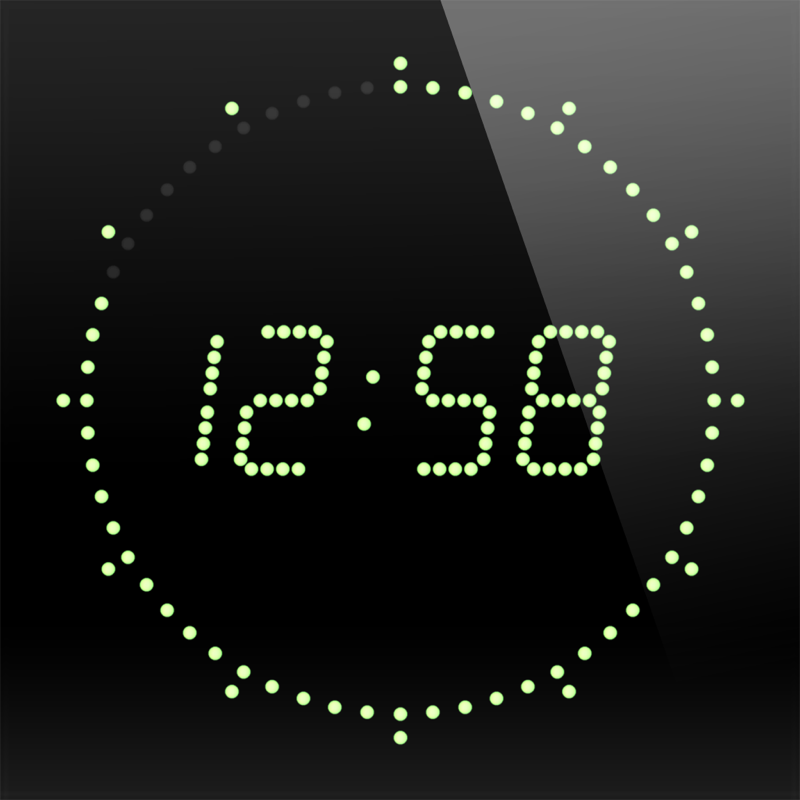
The graphical display mimics the clock display of the legendary Gorgy Timing clocks, which are used in professional radio and television studios, and we spent much effort to bring the original feeling of these wickedly expensive clocks to your iPhone. This app is used by BBC studios, astronomers, concert promoters, etc.
Version 5 contains the following functions:
* Universal support for all iPhone, iPad and iPod touch devices running iOS 8 or higher (including iPhone 11, 11 Pro, 11 Pro Max, and all of the latest iPads and iPads Pro)
* Optimized for iOS 13 and watchOS 6, full 64 bit support
* Alarm function with snooze (touch anywhere on the screen), volume fade-in, based on weekdays
* Alarm time based on seconds (not minutes)
* Local time / UTC time mode
* Alarm notification window instead of normal alarm sound, if app is not running or in the background
* Use playlists or a manual picker selection from your own music library as alarm sounds
* The alarm sound is also playing when the device is muted, or the display is switched off, and also works in AirPlay environments
* Customizable time server sources
* Colors: green, red, blue, yellow, white, dark green, violet, pink, orange, turquoise and hidden, with a separate color option for digits, seconds and segments
* Alternative visual display of fractional seconds (1/60th sec. resolution)
* 12/24 hours display
* Optional second tick sound
* Full landscape support (including settings dialog)
* Touching the display lets the buttons and status bar fade out
* Touching the display again will add the current date (in all orientations)
* Disabled screen auto-lock
* Options "sync at startup", "hourly", "daily", or a sync button for manual syncing
* The last known time delta is used when started without sync
* "Night mode", which dims the display using a slider, shows the seconds with only one dot (to prevent a hard brightness switch between second 59 and second 0), switches off the tick sound, and reduces screen updates to save battery
* To minimize burn-in effects (especially on the iPhone X OLED display), the clock is doing micro movements when running longer than 5 minutes
* VoiceOver support
Answers to common questions:
* An application can not set your device's system time, so a time sync between the atomic time and the device time is not possible.
* If you want to wakeup with music, please do not exit the app before going to sleep (which would result in a local notification dialog without music in the morning), and do not lock your device. Be aware that running an application all the time, even without display, consumes battery, so please make sure that your iPhone is fully charged before you go to bed, connect it to your charger, or use the app's Night mode, which is much more energy-saving.
What's New in Version 5.32

Here are the changes (v5.32):
* It is reported that mobile providers will switch their mobile data networks to IPv6-only soon, so I completely rewrote the network routines to work well under IPv6-only networks too
* Button positions have slighly changed to look better on borderless devices like the iPhone 11
Can you believe, that this is the 52nd update of the Atomic Clock app since it started with V1.00? If you like the app, you can send me a small tip through the app. Thank you!

Information

Categories

Version

5.32

Size

11.8 MB

Game Center

No

VPP Device Licensing

Yes

Rating

Rated: 4+

Compatibility

iOS 8.0 or later

Devices

iPhone 4S, iPhone 5, iPhone 5c, iPhone 5s, iPhone 6, iPhone 6 Plus, iPhone 6s, iPhone 6s Plus, iPhone SE, iPhone 7, iPhone 7 Plus, iPhone 8, iPhone 8 Plus, iPhone X, iPhone XR, iPhone XS, iPhone XS Max, iPhone 11, iPhone 11 Pro, iPhone 11 Pro Max, iPhone SE (2nd generation), iPad 2 (Wi-Fi), iPad 2 (3G), iPad (3rd Generation) (Wi-Fi), iPad (3rd Generation) (4G), iPad (4th Generation) (Wi-Fi), iPad (4th Generation) (4G), iPad (5th Generation) Wi-Fi, iPad (5th Generation) Wi-Fi + Cellular, iPad (6th generation) Wi-Fi, iPad (6th generation) Wi-Fi + Cellular, iPad Pro, iPad Pro (Cellular), iPad Pro (9.7-inch), iPad Pro (9.7-inch) (Cellular), iPad Pro 12.9-inch (2nd generation), iPad Pro 12.9-inch (2nd generation) Wi-Fi + Cellular, iPad Pro (10.5-inch), iPad Pro (10.5-inch) Wi-Fi + Cellular, iPad Pro (11-inch), iPad Pro (11-inch) Wi-Fi + Cellular, iPad Pro 12.9-inch (3rd generation), iPad Pro 12.9-inch (3rd generation) Wi-Fi + Cellular, iPad Air, iPad Air (Cellular), iPad Air 2, iPad Air 2 (Cellular), iPad Air (3rd generation), iPad Air (3rd generation) Wi-Fi + Cellular, iPad mini (Wi-Fi), iPad mini (4G), iPad mini Retina, iPad mini Retina (Cellular), iPad mini 3, iPad mini 3 (Cellular), iPad mini 4, iPad mini 4 (Cellular), iPad mini (5th Generation), iPad mini (5th Generation) Wi-Fi + Cellular, iPad (7th generation) Wi-Fi, iPad Pro 11-inch (2nd generation), iPad Pro 11-inch (2nd generation) Wi-Fi + Cellular, iPad Pro 12.9-inch (4th generation), iPad Pro 12.9-inch (4th generation) Wi-Fi + Cellular, iPod touch (5th generation), iPod touch (6th Generation), iPod touch (7th generation), Apple Watch Series 4, Apple Watch Series 5

Languages

English, Dutch, French, German, Japanese, Polish, Spanish

App Store: Customer Ratings

Ratings & Reviews

4.5 of 5 (191 Ratings)

App Store: Customer Reviews

2018-02-07

Awesome

Atomic Clock is my go to app. I work in TV and use it weekly. I've recommended it dozens of times. It's 100% reliable.
It'd be 5 stars if I had the option to display hh:mm:ss on the same line. .
OzyJ
Version 5.10
2017-04-02

Fantastic

Use it to set my clocks when daylight savings time changes twice a year. And to reset my kitchen clock which randomly gains time or loses time. All the time!
KittKatTiff
Version 4.70
2017-02-20

Latest update broke it

Updated app won't open and I can't delete it. Don't know what to do..
ian79p
Version 4.71
2017-02-11

Used to set my watches 🙂

Use this app to set my watches. Easy to use and read the display.
AtTheAsylum
Version 4.71
2016-11-25

Absolutely love it!

I've been using this app for years. It's rock solid and (as close as I can measure) dead accurate.
It sits on my bedside at night as a simple-to-read timepiece when I'm half asleep, and it's perfect for synchronizing my camera clocks for time-based geolocation of photos.
And it's regularly updated, years after I purchased the license! Well done!!
PDP8User
Version 4.70
2014-10-10

Love this app. Using it for many years now

I've been using this app for many years now, probably version 1, on my original iPhone (2). Really love the accuracy, GUI configurability and simplicity. It does what it should, really well.
Highly recommend it to geeks like me who want the *exact* time. (I use it to troubleshoot network server WinAD / NTP issues.)
MarkSch-AUS
Version 4.51
2012-11-05

I love this app but...

This is my favourite clock app but I would love it to be more accurate. I use an old iPod Touch and an old iPhone as clocks, both running this app. Native clock drift on these devices is very high. NTP has the capability of maintaining high accuracy but not if the time is synchronised ONLY on startup. I would love to see a user selectable re-sync interval. I would use one hour.
Great app. Would be perfect if it were more accurate.
Tony Allan Australia
Version 4.32
2012-03-11

Just what I needed

A great app to set and monitor my watches.
Mikeyeli
Version 4.30
2010-09-04

Atomic Clock

Downloaded it last night and found this app just perfect. Time is dead accurate. Love it. Keep up the good work.
ant44
2009-09-15

Great app

Looks good and works well but a couple of niggles. When the iPhone is plugged into a desktop charger the alarm does not sound although the standard Apple alarm does, plus even making the display very dark there's still a fair amount of display light. Would be great if the iPhone display was darker at night and the only light was from the time display. Apart from that I'm happy with it. Fixing the alarm would be awesome as some nice tones on there to wake up to.
mixmandan
2009-07-23

Atomic clock

this app is great
millonare
2009-04-11

Atomic clock

This clock is not accurate to 1/60 second as implied by the (gorgon) display. I wanted it to sync video cameras but the resolution (update rate of screen) is not high enough. Those little 'LEDs' should come on one at a time not in groups of 3.
Must fix.
Competitors software (CS2) divides a second into 1/100s and displays it accurately.
Buzzbernie
2009-01-07

Great!

If you want the exact time [and I mean "exact"] at your fingertips then this application is for you. I can see this coming in very handy. Very impressed!
Jay&Dee
2009-01-02

Accurate clock

Syncing with NTP works well. Handy for when you need an accurate clock to the second.
Jason W
2008-12-12

Thanks!

Simple, clean, reliable fun app! Love getting my moneies worth! Thanks.
Happy_user
2008-11-08

Lovely Application!

This is a lovely looking app which emulates the look of the original CS2 caesium clock very nicely. The seconds display is almost addictive to watch, not to mention being useful for synchronizing other clocks. And the millisecond display is freaky!
kallison