AboutTermsPrivacyContact
 
Updating
i41CX+

i41CX+

Released: 2019-02-01
© 2008-2020 AL Software
i41CX+ - QR Code
Version 7.6.8
4+
Download on the App Store
Version 7.6.8
4+
Download on the App Store
Released: 2019-02-01
© 2008-2020 AL Software

iPhone Screenshots

Screenshot
Screenshot
Screenshot
Screenshot
Screenshot

iPad Screenshots

Screenshot
Screenshot
Screenshot
Screenshot
Screenshot

Description

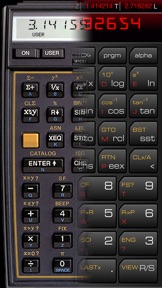
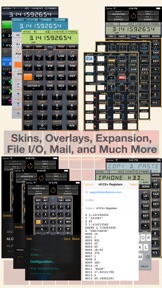
i41CX+ is an advanced programmable and expandable RPN scientific calculator with a virtual thermal printer/plotter and workstation-class CAS capabilities that is far beyond a mere replica of the original. In addition to being functionally equivalent to the world-renowned HP-41CX and providing access to its entire library of modules and programs, i41CX+ is enhanced with iOS and hardware features, keyboard overlays, rich set of import and export capabilities, traditional and upbeat diverse set of skins, complete color control, iCloud support, and much more.
The i41CX+ CAS is a full implementation of REDUCE. It's like having Mathematica or the computational engine of Wolfram Alpha in your pocket and, best of all, it runs natively so no internet connection is required. The CAS is fully programmable and provides the ability to reuse previous results in computations. Moreover, the CAS has full access to the calculator registers so it is possible to combine RPN programs with CAS programs.
This is the finest and most powerful scientific/engineering/financial calculator for iOS devices bar none.
CALCULATOR FEATURES:
• RPN logic with a 4 element deep memory stack
• 319 main and 600 extended memory registers
• Over 400 built-in functions, including over 100 functions created specifically for i41CX+
• Time, calendar, alarm, and stopwatch functions
• Four module ports provide access to HP-41 expansion pacs
• Rich set of functions and algorithms: numerical, mathematical, statistical, complex, matrix, numerical integration, curve fitting, solutions to equations, and much more
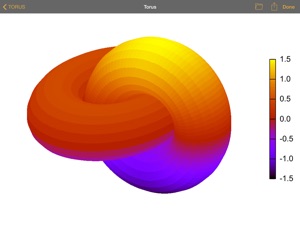
• Powerful, flexible, and programmable Computer Algebra System (CAS) supporting symbolic, arbitrary precision, scalar, vector and matrix algebra calculations, 2D/3D plotting, and much more
• Full-screen text editor with configurable font style and size, color scheme, a user configurable macro keyboard, and a numerical keyboard
• Access to the entire HP-41 library of solutions for science, mathematics, statistics, engineering, business, financial, surveying, medicine, real estate, and many other domains
• Programmable - virtually unlimited number of lines
• User definable keyboard
• Ability to operate the calculator using a Bluetooth keyboard
• Device integration: external display mirroring, copy and paste, in-app mail, system keyboard, GPS, accelerometer, digital compass, time and date synchronization, AirPrint, and much more
• Virtually unlimited data and program storage capacity using the device's flash memory for local storage
• Import/export data, programs, overlays, modules, etc. via the web, email, and iTunes file sharing
• iCloud syncing of files and preference settings
• iOS 8 Notification Center widget
• 43 available keyboard overlays and support for user created overlays
• Sound support including synthetic tones and interface sounds
• Support for calculator skins and optional mini stack display
• Adjustable calculator speed, sound volume, and display colors
• Usage & Examples table with usage tips and examples
• Quick Reference Guide of all built-in functions
• CAS Quick Reference with all built-in functions, operators, switches, and packages
• Beautiful and clean user interface
PRINTER FEATURES:
• Support for printing, plotting, graphics, and special characters
• User configurable and programmable print color
• Export printer output via email, clipboard, or AirPrint
• Ability to save a JPEG image of the paper roll to the device's photo album
***********************************************************
A comprehensive FAQ and Mini-Manual are available at http://alsoftiphone.com/i41CXplus. Please don't hesitate to use the "Contact Us" link there if you cannot find the answers or information that you seek. Thank you.

What's New in Version 7.6.8

• Minor bug fix.

Seller

Name

Antonio Lagana

Information

Categories

Version

7.6.8

Size

391.5 MB

Game Center

No

VPP Device Licensing

Yes

Rating

Rated: 4+

Compatibility

iOS 9.0 or later

Devices

iPhone 4S, iPhone 5, iPhone 5c, iPhone 5s, iPhone 6, iPhone 6 Plus, iPhone 6s, iPhone 6s Plus, iPhone SE, iPhone 7, iPhone 7 Plus, iPhone 8, iPhone 8 Plus, iPhone X, iPhone XR, iPhone XS, iPhone XS Max, iPhone 11, iPhone 11 Pro, iPhone 11 Pro Max, iPhone SE (2nd generation), iPhone 12, iPhone 12 Pro, iPhone 12 Pro Max, iPhone 12 mini, iPad 2 (Wi-Fi), iPad 2 (3G), iPad (3rd Generation) (Wi-Fi), iPad (3rd Generation) (4G), iPad (4th Generation) (Wi-Fi), iPad (4th Generation) (4G), iPad (5th Generation) Wi-Fi, iPad (5th Generation) Wi-Fi + Cellular, iPad (6th generation) Wi-Fi, iPad (6th generation) Wi-Fi + Cellular, iPad Pro, iPad Pro (Cellular), iPad Pro (9.7-inch), iPad Pro (9.7-inch) (Cellular), iPad Pro 12.9-inch (2nd generation), iPad Pro 12.9-inch (2nd generation) Wi-Fi + Cellular, iPad Pro (10.5-inch), iPad Pro (10.5-inch) Wi-Fi + Cellular, iPad Pro (11-inch), iPad Pro (11-inch) Wi-Fi + Cellular, iPad Pro 12.9-inch (3rd generation), iPad Pro 12.9-inch (3rd generation) Wi-Fi + Cellular, iPad Air, iPad Air (Cellular), iPad Air 2, iPad Air 2 (Cellular), iPad Air (3rd generation), iPad Air (3rd generation) Wi-Fi + Cellular, iPad mini (Wi-Fi), iPad mini (4G), iPad mini Retina, iPad mini Retina (Cellular), iPad mini 3, iPad mini 3 (Cellular), iPad mini 4, iPad mini 4 (Cellular), iPad mini (5th Generation), iPad mini (5th Generation) Wi-Fi + Cellular, iPad (7th generation) Wi-Fi + Cellular, iPad Pro 11-inch (2nd generation), iPad Pro 11-inch (2nd generation) Wi-Fi + Cellular, iPad Pro 12.9-inch (4th generation), iPad Pro 12.9-inch (4th generation) Wi-Fi + Cellular, iPad Air (4th Generation) (Wi-Fi), iPad Air (4th Generation) (Wi-Fi + Cellular), iPad (8th generation) Wi-Fi, iPad (8th generation) Wi-Fi + Cellular, iPod touch (5th generation), iPod touch (6th Generation), iPod touch (7th generation), Apple Watch Series 4, Apple Watch Series 5, Apple Watch Series 6 (GPS), Apple Watch Series 6 (GPS + Cellular), Apple Watch Series SE (GPS), Apple Watch Series SE (GPS + Cellular)

Languages

English

App Store: Customer Ratings

Ratings & Reviews

5.0 of 5 (6 Ratings)

App Store: Customer Reviews

2019-09-13

Lovely 41CX+

This is HP 41CX+ relived. I have been using 41CX+ since 1984 in my Uni days.
I m so glad that now I can carry it in my pocket with my iphone. Best app, I have been using this app for more than 5 years now, never regret to be part of iCX+ family. If you love RPN, this definitely for you.
Simon Lau
Version 7.5.0
2012-05-07

Overpriced

This app is way overpriced! Don't be sucked in thinking this is going to solve all your problems.
The interface is about as user-friendly as a stone tablet! Do yourself a favour, buy something else.
Ripped off $$$$$
Version 4.9.8
2012-04-11

Works great

Fantastic app and always in my pocket. This app is more powerful with more features than the original calculator and access to the hp resource program's a bonus
Love it
500fanatic
Version 4.9.8
2012-02-18

The ultimate calculator of all time

If you ever owned an HP41, or an RPN calculator, this is even better than the HP original.
And it makes your iPhone programmable :)
iLuxo
Version 4.9.7
2011-09-30

Great app

Brings back old memories
DavidFW1960
Version 4.8.8
2010-02-22

i41CX+

I am a long time HP user and semi collector. I still have my 41CX from 1985 and it is still going strong. It is a tribute to the original design that this sort of emulator even exists and people still want to use the 41.
What I particularly like about this app is it's fidelity to the original hardware if a little smaller in size plus you get for free the added functionality of the plug in ROM modules which in their day would have cost hundreds more. One of the previous reviewers found the operation to be un-iPhone like and unintuative. My opinion is so what? The 41 was always a serious piece of hardware and not without it's own quirks. Users needed to read and understand the operation of the 41 before any serious work could be accomplished. In modern parlance RTFM!
Take the time to read the FAQ and original HP manuals to get the most from this exellent 41 implimentation.
The only suggestions I have for improving this app is to offer a landscape form factor ala HP 15 to compensate for the reduced size of the keyboard and to increase the hot zone for swiping the rear view to access options etc. Oh and give me that lovely tactile feedback from the keyboard from the original :) maybe a quick burst of the vibrating ring.
$Aus 18 well spent
Robomort
2009-09-10

i41CXp

Brilliant programme. Well worth the price - and more!
Little Neddie
2009-06-12

Excellent HP41 emulation; poor iPhone UI

I wanted to love this app, and even though it's a faithful emulation of the much-loved and incredibly flexible HP-41CX, it's also not a good example of iPhone programming in its current form. Instead of exploiting well-designed and implemented iPhone OS UI elements, the developer has relied on a confusing mix of controls which lack consistency and waste valuable screen space. Case in point: why are the registers, flags and quick reference materials displayed in a reduced frame when screen space is already at a premium? Pressing the power light on the printer to turn it on is far from obvious, selecting a new keyboard layout is convoluted, as is selecting port modules. And the available "themes" are nothing more than different keyboard graphics: being able to change the standard HP-41 display font to something vastly more readable, or changing the keyboard graphics to something better proportioned for the iPhone screen, might constitute a worthwhile theme; as-is, I don't really see the point. I could go on, but suffice to say the UI overhaul I hoped for in v2 didn't eventuate. A decent designer could turn this into a 5-star app: for now, it's 5 stars for the HP-41 faithful and 0 stars for the iPhone fans.
t/man
2009-02-02

Best calculator on the best smart phone

The hp41C was one of the best calculators. I have been using my one for over 27 years! The iPhone replaced my iPod, organiser and phone. With this great app, I can now also carry the 41C functionality on the one device. Fantastic implementation.
The printer is of limited use to me, but I see the developer now has a version of the app sans-printer.
BA Sydney
2008-12-13

Hp41CV

Wonderful... I had my HP41cv stolen so it's great to get it back on the iPhone. Need the olde financial packages/programs... Thanks.
PS Can we violate the original design ever so slightly by having an option to have a much deeper stack, say 256... Or even user specified. The original of course was limited by hardware.
PhoenixDownunder
2008-10-08

Brilliant

It was a sad day when my HP15C got run over by a garbage truck. So I was thrilled to see this app. As far as I can tell it works, and gives correct answers, although it's a bit scary placing trust in a phone app for "serious" calculations.
To the writer: please, please, please make a version using the HP15C landscape format.
OzEngineer
2008-09-05

Outstanding implementation

The HP41C was a benchmark for calculating - handheld computing - when released in 1979, and HP were still selling an updated variant in the same form factor as late as 1990.
It's back, it's in my iPhone, and it works.
If you've ever loved and/or lost your HP41C, grab this app. I don't think you'll be disappointed.
[xeq] [alpha] BEEP [alpha]