Updating


-13
#56 in Top Free Apps > Medical
+6
#15 in Top Free iPad Apps > Medical
iPhone Screenshots


iPad Screenshots


Description
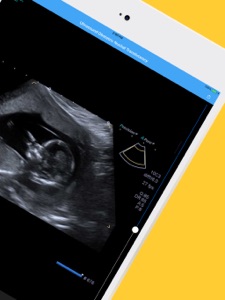
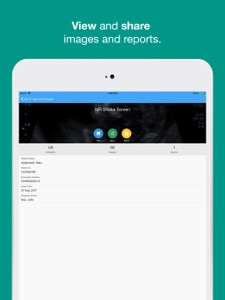
The Lake Images Patient App is used by patients to securely access results of their radiology scans and to request future appointments at a Lake Imaging practice.
The app will allow you, the patient, to view and easily share your results with other health professionals. Once your results are reported by a Radiologist and ready to view, you will receive an SMS/text message to your device containing a link to your account. You will need this code to activate your account and set a secure password.
Your images will reach your account approximately 1 hour after your examination and you will be able to access any future results performed by Lake Imaging, by using the Lake Images App to log into your account. You will be sent a notification when your results are ready to view on the app.
The 'Request an Appointment' feature allows you to arrange a visit to one of our radiology practices. Simply enter details of the imaging required and take a photo of the referral form issued by your doctor. Once submitted online, our friendly staff will contact you to organise and confirm the appointment.
If you need assistance with the Lake Images Patient App please email images@lakeimaging.com.au with a description of the problem.
Please Note: Your doctor will be able to access your images and report as soon as they are available. You should always return to your doctor to discuss your results.
What's New in Version 38.2432.0
Bug fixes and improvements.
Information
Developer
Categories
Version
38.2432.0
Size
88.9 MB
Game Center
No
VPP Device Licensing
Yes
Rating
Rated 17+ for the following:
Frequent/Intense Medical/Treatment Information
Compatibility
iOS 9.1 or later
Devices
iPhone 4S, iPhone 5, iPhone 5c, iPhone 5s, iPhone 6, iPhone 6 Plus, iPhone 6s, iPhone 6s Plus, iPhone SE, iPhone 7, iPhone 7 Plus, iPhone 8, iPhone 8 Plus, iPhone X, iPhone XR, iPhone XS, iPhone XS Max, iPhone 11, iPhone 11 Pro, iPhone 11 Pro Max, iPhone SE (2nd generation), iPad 2 (Wi-Fi), iPad 2 (3G), iPad (3rd Generation) (Wi-Fi), iPad (3rd Generation) (4G), iPad (4th Generation) (Wi-Fi), iPad (4th Generation) (4G), iPad (5th Generation) Wi-Fi, iPad (5th Generation) Wi-Fi + Cellular, iPad (6th generation) Wi-Fi, iPad (6th generation) Wi-Fi + Cellular, iPad Pro, iPad Pro (Cellular), iPad Pro (9.7-inch), iPad Pro (9.7-inch) (Cellular), iPad Pro 12.9-inch (2nd generation), iPad Pro 12.9-inch (2nd generation) Wi-Fi + Cellular, iPad Pro (10.5-inch), iPad Pro (10.5-inch) Wi-Fi + Cellular, iPad Pro (11-inch), iPad Pro (11-inch) Wi-Fi + Cellular, iPad Pro 12.9-inch (3rd generation), iPad Pro 12.9-inch (3rd generation) Wi-Fi + Cellular, iPad Air, iPad Air (Cellular), iPad Air 2, iPad Air 2 (Cellular), iPad Air (3rd generation), iPad Air (3rd generation) Wi-Fi + Cellular, iPad mini (Wi-Fi), iPad mini (4G), iPad mini Retina, iPad mini Retina (Cellular), iPad mini 3, iPad mini 3 (Cellular), iPad mini 4, iPad mini 4 (Cellular), iPad mini (5th Generation), iPad mini (5th Generation) Wi-Fi + Cellular, iPad (7th generation) Wi-Fi + Cellular, iPad Pro 11-inch (2nd generation), iPad Pro 11-inch (2nd generation) Wi-Fi + Cellular, iPad Pro 12.9-inch (4th generation), iPad Pro 12.9-inch (4th generation) Wi-Fi + Cellular, iPod touch (5th generation), iPod touch (6th Generation), iPod touch (7th generation), Apple Watch Series 4, Apple Watch Series 5
Languages
App Store: Customer Ratings
Ratings & Reviews
4.0 of 5 (12 Ratings)
App Store: Customer Reviews
No Entry