Updating


iPhone Screenshots


iPad Screenshots


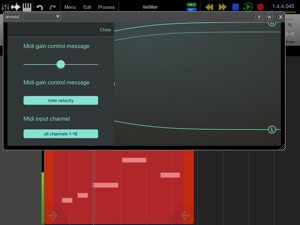
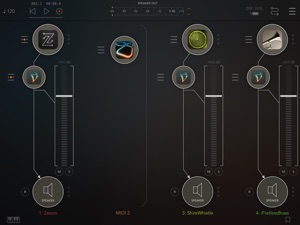
Description
WHAT IS VELOCITY FILTER?
Velocity Filter is the fastest way to make all your synthesizer patches respond to MIDI velocity in a natural and musical way. Just add it to your audio unit effects on the synth track and you are done!
WHAT DOES IT DO?
It converts non-velocity-sensitive synths sounds into velocity-sensitive ones.
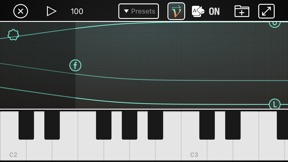
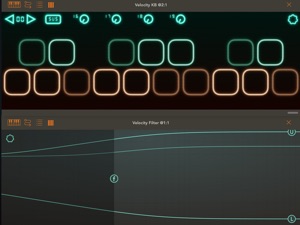
Velocity Filter can be configured as either a MIDI-controlled filter or a MIDI-operated volume control. In filter mode, it adds or removes high frequency energy according to the velocity of each MIDI note, so that lower velocity notes sound softer and have less high harmonic content. You can control the amount of boost or cut and the frequency range. In volume control mode, it adjusts the volume according to incoming MIDI velocity.
WHAT ELSE DOES IT DO?
In addition to MIDI velocity, you can also control the filter using MIDI-CC or aftertouch controls. So you can control it in a variety of ways.
HOW IS THIS BETTER THAN EDITING MY SYNTH PATCHES TO MODULATE THE FILTER CUTOFF BY MIDI VELOCITY?
Most synthesizers respond to velocity either by modulating the cutoff frequency of a lowpass filter or by modulating the gain. Doing velocity response that way distorts the tone of the patch in an un-musical way, especially if it uses a resonant lowpass filter. Instead of modulating the gain of a lowpass filter, Velocity Filter modulates the gain of a high-shelf filter. The sound is very different, and can be applied on top of the existing filters in the synth patch without destroying the tone of the patch.
Also, if you are browsing through a collection of 1000 patches, it's much easier to apply this filter to the output than to modify each and every patch to modulate the filter cutoff with MIDI velocity.
However, it's not necessarily "better"; it's just very different. Read the limitations section below for why it's not always better.
WHAT LIMITATIONS DOES IT HAVE?
All notes go through one filter, so if you play two notes at the same time, with different velocities, it will set the filter for the loudest of the two notes.
Also, the filter takes about 1 millisecond to change from loud to soft, so if you quickly switch from loud to soft, you'll hear the filter clamping down AFTER the initial attack. This is problematic for synth patches that have near zero attack time.
Velocity Filter does not support GarageBand because GarageBand does not support sending MIDI messages to audio effects.
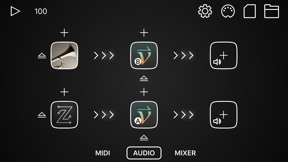
Velocity filter is an audio unit plugin ONLY. It runs inside of host apps such as AUM, Audiobus, Cubasis, Auria, and Beatmaker 3.
What's New in Version 1.0.5
1. Fix crash bugs on IOS 14
2. Fix parameters are not being loaded correctly in AUM.
Seller
Name
Mani Consulting Limited Company
Information
Developer
Categories
Version
1.0.5
Size
16.1 MB
Game Center
No
VPP Device Licensing
Yes
Rating
Rated: 4+
Compatibility
iOS 12.0 or later
Devices
iPhone 5s, iPhone 6, iPhone 6 Plus, iPhone 6s, iPhone 6s Plus, iPhone SE, iPhone 7, iPhone 7 Plus, iPhone 8, iPhone 8 Plus, iPhone X, iPhone XR, iPhone XS, iPhone XS Max, iPhone 11, iPhone 11 Pro, iPhone 11 Pro Max, iPhone SE (2nd generation), iPhone 12, iPhone 12 Pro, iPhone 12 Pro Max, iPhone 12 mini, iPhone 13, iPhone 13 Pro, iPhone 13 Pro Max, iPhone 13 mini, iPhone SE (3rd generation), iPhone 14, iPhone 14 Plus, iPhone 14 Pro, iPhone 14 Pro Max, iPad (5th Generation) Wi-Fi, iPad (5th Generation) Wi-Fi + Cellular, iPad (6th generation) Wi-Fi, iPad (6th generation) Wi-Fi + Cellular, iPad Pro, iPad Pro (Cellular), iPad Pro (9.7-inch), iPad Pro (9.7-inch) (Cellular), iPad Pro 12.9-inch (2nd generation), iPad Pro 12.9-inch (2nd generation) Wi-Fi + Cellular, iPad Pro (10.5-inch), iPad Pro (10.5-inch) Wi-Fi + Cellular, iPad Pro (11-inch), iPad Pro (11-inch) Wi-Fi + Cellular, iPad Pro 12.9-inch (3rd generation), iPad Pro 12.9-inch (3rd generation) Wi-Fi + Cellular, iPad Air, iPad Air (Cellular), iPad Air 2, iPad Air 2 (Cellular), iPad Air (3rd generation), iPad Air (3rd generation) Wi-Fi + Cellular, iPad mini Retina, iPad mini Retina (Cellular), iPad mini 3, iPad mini 3 (Cellular), iPad mini 4, iPad mini 4 (Cellular), iPad mini (5th Generation), iPad mini (5th Generation) Wi-Fi + Cellular, iPad (7th generation) Wi-Fi + Cellular, iPad Pro 11-inch (2nd generation), iPad Pro 11-inch (2nd generation) Wi-Fi + Cellular, iPad Pro 12.9-inch (4th generation), iPad Pro 12.9-inch (4th generation) Wi-Fi + Cellular, iPad Air (4th Generation) (Wi-Fi), iPad Air (4th Generation) (Wi-Fi + Cellular), iPad (8th generation) Wi-Fi, iPad (8th generation) Wi-Fi + Cellular, iPad Pro 11-inch (3rd generation), iPad Pro 11-inch (3rd generation) Wi-Fi + Cellular, iPad Pro 12.9-inch (5th Generation), iPad Pro 12.9-inch (5th Generation) Wi-Fi + Cellular, iPad (9th Generation), iPad (9th Generation) Wi-Fi + Cellular, iPad mini (6th Generation), iPad mini (6th Generation) Wi-Fi + Cellular, iPad Air (5th generation), iPad Air (5th generation) Wi-Fi + Cellular, iPad Pro11FourthGen, iPad Pro11FourthGenCellular, iPad ProSixthGen, iPad ProSixthGenCellular, iPad TenthGen, iPad TenthGenCellular, iPod touch (6th Generation), iPod touch (7th generation)
Languages
English
App Store: Customer Ratings
Ratings & Reviews
0.0 of 5 (No rating)
App Store: Customer Reviews
No Entry