Updating


iPhone Screenshots




iPad Screenshots



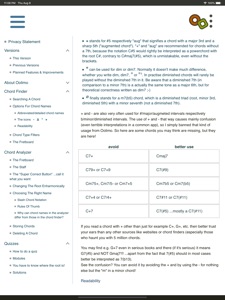
Description
This app will dramatically increase your understanding of chords and make you a better player and songwriter. Recommended from interested learners to guitar students.
Learn guitar chords, chord naming and chord construction the way used by professional musicians in today's popular music including complex jazz harmony.
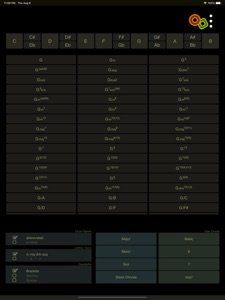
Guitar Chord Finder:
No nonsense chords - the chord database is personally maintained by professional guitarist and university teacher Oliver Mochmann. Those chords are then transposed to your selected key by an algorithm that really knows the theory!
Explanations for every chord type with note names that automatically adapt to the selected key/root.
Transfer chords from the Chord Finder to the Chord Analyzer.
Guitar Chord Analyzer:
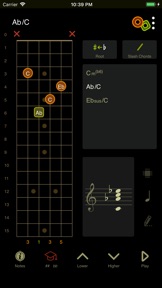
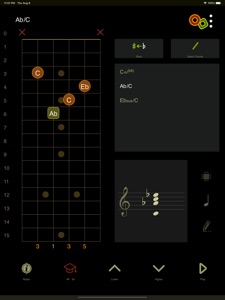
Instantly get syntactically right chord names for every inversion by entering a chord into the virtual fretboard.
No "chord unknown" message due to the chord analyzer's intelligent algorithm.
Watch the notes of your chords on staves.
Quick storage helps to memorize and compare several chords.
Advanced features like an enharmonic change of the root, double accidentals, slash chord notation.
Quizzes
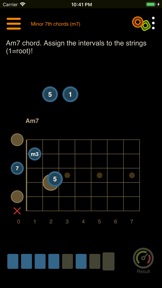
Improve and strengthen your guitar chord knowledge wherever you are. The various types of tasks will illuminate many aspects of guitar chords like chord construction or derivation, harmonic context, intervals and complementary intervals, differences between chord types or just chord voicings, tensions, modifications, etc. Last but not least the quizzes and are fun to do!
General features:
Interactive fretboard/chord diagram shows note name and interval for each played tone.
Switch between detailed or abbreviated chord names.
Listen to the whole chord or single chord tones.
Switch between English and German language.
Switch between night and day mode for the best view at any time.
Left-hand mode.
What's New in Version 1.1.60
The eagerly awaited update by all left-handed users! Left-hand mode, chord diagrams in quiz solutions complemented with full functionality (play button, notes/intervals switching) and other more subtle improvements.
Seller
Name
Oliver Mochmann
Information
Developer
Categories
Version
1.1.60
Size
16.3 MB
Game Center
No
VPP Device Licensing
Yes
Rating
Rated: 4+
Compatibility
iOS 10.0 or later
Devices
iPhone 5, iPhone 5c, iPhone 5s, iPhone 6, iPhone 6 Plus, iPhone 6s, iPhone 6s Plus, iPhone SE, iPhone 7, iPhone 7 Plus, iPhone 8, iPhone 8 Plus, iPhone X, iPhone XR, iPhone XS, iPhone XS Max, iPhone 11, iPhone 11 Pro, iPhone 11 Pro Max, iPhone SE (2nd generation), iPad (4th Generation) (Wi-Fi), iPad (4th Generation) (4G), iPad (5th Generation) Wi-Fi, iPad (5th Generation) Wi-Fi + Cellular, iPad (6th generation) Wi-Fi, iPad (6th generation) Wi-Fi + Cellular, iPad Pro, iPad Pro (Cellular), iPad Pro (9.7-inch), iPad Pro (9.7-inch) (Cellular), iPad Pro 12.9-inch (2nd generation), iPad Pro 12.9-inch (2nd generation) Wi-Fi + Cellular, iPad Pro (10.5-inch), iPad Pro (10.5-inch) Wi-Fi + Cellular, iPad Pro (11-inch), iPad Pro (11-inch) Wi-Fi + Cellular, iPad Pro 12.9-inch (3rd generation), iPad Pro 12.9-inch (3rd generation) Wi-Fi + Cellular, iPad Air, iPad Air (Cellular), iPad Air 2, iPad Air 2 (Cellular), iPad Air (3rd generation), iPad Air (3rd generation) Wi-Fi + Cellular, iPad mini Retina, iPad mini Retina (Cellular), iPad mini 3, iPad mini 3 (Cellular), iPad mini 4, iPad mini 4 (Cellular), iPad mini (5th Generation), iPad mini (5th Generation) Wi-Fi + Cellular, iPad (7th generation) Wi-Fi, iPad Pro 11-inch (2nd generation), iPad Pro 11-inch (2nd generation) Wi-Fi + Cellular, iPad Pro 12.9-inch (4th generation), iPad Pro 12.9-inch (4th generation) Wi-Fi + Cellular, iPad Air4, iPad Air4Cellular, iPad EighthGen, iPad EighthGenCellular, iPod touch (6th Generation), iPod touch (7th generation), Apple Watch Series 4, Apple Watch Series 5, Watch6, Watch6Cellular, WatchSE, WatchSECellular
Languages
English
App Store: Customer Ratings
Ratings & Reviews
5.0 of 5 (1 Rating)
App Store: Customer Reviews
No Entry