AboutTermsPrivacyContact
 
Updating
Koder Code Editor

Koder Code Editor

Released: 2018-12-23
© 2018 RemuzLab
Koder Code Editor - QR Code
Version 4.2.2
4+
Download on the App Store
Version 4.2.2
4+
Download on the App Store
Released: 2018-12-23
© 2018 RemuzLab

iPhone Screenshots

Screenshot
Screenshot
Screenshot
Screenshot

iPad Screenshots

Screenshot
Screenshot
Screenshot
Screenshot
Screenshot

Description

"Koder for iPad: Nerds Rejoice! You Can Code on Your iPad"
-- GIZMODO / App of the day --
"Koder’s simple yet efficient interface is designed for touch editing. At just $5.99, you get an editor with a well-designed interface at a great price. If you want to code with your trusty iPad, then Koder is for you."
-- AppAdvice --
"An accomplished code editor for many programming languages"
-- 148Apps --
"Editing code on your iPad should never be that difficult again"
--KillerStartups--
"The developers at iCodeLabs have done a great job optimizing the iPad’s real estate for code editing"
--theiphoneappreview--
"The app for instant project creation and code editing, perfect for developers and programmers on the go."
--tipsfortablets--
-- Koder was listed on the App Store as a 'Staff Favorites' in 82 countries --
Koder is a code editor for iPad and iPhone. It does have many features including syntax highlighting, snippet manager, tabbed editing, find and replace code, editor theme, remote and local files connections, and many more.
With Koder you can code anytime and anywhere, no matter if you're at your desk or while on the go
Features:
- Syntax Highlighting ( Supports more than 80 languages : actionscript, actionscript3, active4d, ada, ampl, apache, applescript, asm-mips, asm-x86, asp-js, asp-vb, aspdotnet-cs, aspdotnet-vb, awk, batch, c, cobol, coffeescript, coldfusion, cpp, csharp, csound, css, d, dylan, eiffel, erl, eztpl, elixir, fortran, freefem, gedcom, gnuassembler, haskell, header, html, idl, java, javafx, javascript, jsp, latex, less, lilypond, lisp, logtalk, lsl, lua, markdown, matlab, mel, metapost, metaslang, mysql, nemerle, none, nrnhoc, objectivec, objectivecaml, ox, pascal, pdf, perl, php, plist, postscript, powershell, prolog, python, r, rhtml, ruby, sass, scala, sgml, shell, sml, sql, standard, stata, supercollider, tcltk, torquescript, udo, vb, verilog, vhdl, xml )
- Code Autocomplete
- Code Function list
- Access and Manage your Dropbox, (S)FTP, webdav and local files easily
- Built In Terminal (SSH Client)
- Tabbed editing
- Extra Keyboard with Custom Key (Snippet)
- Document Picker Support to open/import/export other app files from/to Koder
- Find and replace code
- Previewer Browser with View Source function
- Editor theme with Custom Theme Editor
- Extra Key / Additional Keys on Virtual Keyboard with open+close brackets keys
- Screen-Lock, Manual and Auto Lock
- Extracting Zip File on Local project
- Sophisticated File Browser
- iOS "Open In" support, from Koder to other app - vice versa
- Change file/folder permission (CHMOD) on FTP/SFTP projects
- Folder Synchronization between Local Project and FTP Project
- Uploading files from desktop from browser or iTunes sharing
- Expandable editing space
- Bluetooth Keyboard Support
- and many more …
- Support multitasking for iPad
- Support editing files from Working Copy using drag and drop
NEWEST
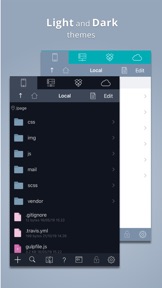
- Support Dark Theme
- Compatibility with iOS 13
BUG REPORT/ PROBLEMS/ IDEAS :
If you have any problems when using Koder, or you have ideas for Koder improvement, please mention us or message us directly at twiter @koderapp

What's New in Version 4.2.2

- Fixed problem when opening file
- Fixed some file operations
- Fixed crash when copy - paste text
- Fixed Dropbox Authentication issue

Seller

Name

Reny Mustika

Information

Developer

Categories

Version

4.2.2

Size

36.5 MB

Game Center

No

VPP Device Licensing

Yes

Rating

Rated: 4+

Compatibility

iOS 12.0 or later

Devices

iPhone 5s, iPhone 6, iPhone 6 Plus, iPhone 6s, iPhone 6s Plus, iPhone SE, iPhone 7, iPhone 7 Plus, iPhone 8, iPhone 8 Plus, iPhone X, iPhone XR, iPhone XS, iPhone XS Max, iPhone 11, iPhone 11 Pro, iPhone 11 Pro Max, iPhone SE (2nd generation), iPhone 12, iPhone 12 Pro, iPhone 12 Pro Max, iPhone 12 mini, iPhone 13, iPhone 13 Pro, iPhone 13 Pro Max, iPhone 13 mini, iPhone SE (3rd generation), iPhone 14, iPhone 14 Plus, iPhone 14 Pro, iPhone 14 Pro Max, iPhone 15, iPhone 15 Plus, iPhone 15 Pro, iPhone 15 Pro Max, iPhone 16, iPhone 16 Plus, iPhone 16 Pro, iPhone 16 Pro Max, iPhone 16e, iPhone 17, iPhone 17 Pro, iPhone 17 Pro Max, iPhone Air, iPhone 17e, iPad (5th Generation) Wi-Fi, iPad (5th Generation) Wi-Fi + Cellular, iPad (6th generation) Wi-Fi, iPad (6th generation) Wi-Fi + Cellular, iPad Pro, iPad Pro (Cellular), iPad Pro (9.7-inch), iPad Pro (9.7-inch) (Cellular), iPad Pro 12.9-inch (2nd generation), iPad Pro 12.9-inch (2nd generation) Wi-Fi + Cellular, iPad Pro (10.5-inch), iPad Pro (10.5-inch) Wi-Fi + Cellular, iPad Pro (11-inch), iPad Pro (11-inch) Wi-Fi + Cellular, iPad Pro 12.9-inch (3rd generation), iPad Pro 12.9-inch (3rd generation) Wi-Fi + Cellular, iPad Air, iPad Air (Cellular), iPad Air 2, iPad Air 2 (Cellular), iPad Air (3rd generation), iPad Air (3rd generation) Wi-Fi + Cellular, iPad mini Retina, iPad mini Retina (Cellular), iPad mini 3, iPad mini 3 (Cellular), iPad mini 4, iPad mini 4 (Cellular), iPad mini (5th Generation), iPad mini (5th Generation) Wi-Fi + Cellular, iPad (7th generation) Wi-Fi + Cellular, iPad Pro 11-inch (2nd generation), iPad Pro 11-inch (2nd generation) Wi-Fi + Cellular, iPad Pro 12.9-inch (4th generation), iPad Pro 12.9-inch (4th generation) Wi-Fi + Cellular, iPad Air (4th Generation) (Wi-Fi), iPad Air (4th Generation) (Wi-Fi + Cellular), iPad (8th generation) Wi-Fi, iPad (8th generation) Wi-Fi + Cellular, iPad Pro 11-inch (3rd generation), iPad Pro 11-inch (3rd generation) Wi-Fi + Cellular, iPad Pro 12.9-inch (5th Generation), iPad Pro 12.9-inch (5th Generation) Wi-Fi + Cellular, iPad (9th Generation), iPad (9th Generation) Wi-Fi + Cellular, iPad mini (6th Generation), iPad mini (6th Generation) Wi-Fi + Cellular, iPad Air (5th generation), iPad Air (5th generation) Wi-Fi + Cellular, iPad Pro 11-inch (4th generation), iPad Pro 11-inch (4th generation) Wi-Fi + Cellular, iPad Pro 12.9-inch (6th generation), iPad Pro 12.9-inch (6th generation) Wi-Fi + Cellular, iPad (10th generation), iPad (10th generation) Wi-Fi + Cellular, iPad Air 11-inch (M2) Wi-Fi, iPad Air 13-inch (M2) Wi-Fi, iPad Air 13-inch (M2) Wi-Fi + Cellular, iPad Pro 11-inch (M4) Wi-Fi, iPad Pro 11-inch (M4) Wi-Fi + Cellular, iPad Pro 13-inch (M4) Wi-Fi, iPad Pro 13-inch (M4) Wi-Fi + Cellular, iPad mini (A17 Pro) Wi-Fi, iPad mini (A17 Pro) Wi-Fi + Cellular, iPad (A16) Wi-Fi, iPad (A16) Wi-Fi + Cellular, iPad Air 11-inch (M3) Wi-Fi, iPad Air 11-inch (M3) Wi-Fi + Cellular, iPad Air 13-inch (M3) Wi-Fi, iPad Air 13-inch (M3) Wi-Fi + Cellular, iPad Pro 11-inch (M5) Wi-Fi, iPad Pro 11-inch (M5) Wi-Fi + Cellular, iPad Pro 13-inch (M5) Wi-Fi, iPad Pro 13-inch (M5) Wi-Fi + Cellular, iPad Air11M4, iPad Air11M4Cellular, iPad Air13M4, iPad Air13M4Cellular, iPod touch (6th Generation), iPod touch (7th generation)

Languages

English

App Store: Customer Ratings

Ratings & Reviews

4.4 of 5 (540 Ratings)

App Store: Customer Reviews

2026-03-27

Files disappear

Sometimes, the content of my files disappear and I have to reload my files. NOT GOOD!!!!!
Yayyakyak
Version 4.2.2
2026-03-01

Great but some bugs

Very useful, pretty much the only good code editor for iPads but it has a few issues. The autosave is the main one. It autosaves very infrequently which is a bit annoying and there's no manual save button (although it does save whenever you preview it). A big problem with the saving process itself means that it sometimes causes corruptions. Occasionally if you switch from one file to another and back the original file becomes completely empty or duplicates the second file for some reason.
Casual User 001
Version 4.2.2
2026-02-07

Needs a UI overhaul

Good but hard
MuzzLëd
Version 4.2.2
2025-10-21

Code editor yes, is it good? Not really

So I tried it for a couple of minutes and pretty quickly I found out that there’s no actual way of running any code on this thing which is a bummer; especially when it comes to coding (unless if there was actually a way to run the code and I’m stupid).
Also when it comes to editing html; usually you would want the code editor to help you with your opening and closing tags (or maybe I’m just too used to visual studio code UI and am just being picky), but on this code editor it doesn’t help you with that and you have to manually press tab to format the code and manually add the closing tag which can be pretty frustrating sometimes.
Finally what I think is the WORST part of this app is that not only do they not help you with auto indent formatting (unless I’m stupid and can’t find the setting toggle) but if you were to select everything and press tab; instead of formatting all the code to be indented, everything just gets deleted and replaces with a tab break.
So overall what are my thoughts on this app? I feel that this app is more like a slightly more dignified text editor rather than something for coding. If you want to edit or view unusual file types in your apple device, then I think that this is a great app for that. Else if you’re like me and want to actually try some coding on here, I think this is no where near the most suitable app for that.
Gamerule69
Version 4.2.2
2025-04-25

Would Recommend!

Most code edtiors on mobile have limted files and arent the best, Koder has BARELY any limits on files! just need to find the output button xd
maslluxy
Version 4.2.2
2025-03-26

Absolutely Amazing!

Honestly can’t believe this app is free, I’d have happily paid for a pro version just to support the developer. It’s that good.
IAS2000
Version 4.2.2
2024-12-31

great app but only supports html

In the short time I spent using this, I found it very useful but could not find any support for other languages.
TheRealGreenBlob
Version 4.2.2
2024-10-30

Приложение супер!

Отличное приложение, особенно порадовал локальный сервер)
jdkskdkkdk
Version 4.2.2
2024-10-04

Kinda broken

Sometimes, whenever I open a json file to edit, the app stops and show a loading and it takes a while for me to fix this, pls fix this bug, also great app!
Munchkin0306
Version 4.2.2
2024-08-03

Suck app

Can’t be suck any more, even without a run button
A1annnnnn
Version 4.2.2
2024-06-16

No auto-save

Lost 3 days of work on a file because the app reloaded. Apparently it wasn’t saving anything I wrote that whole time.
Bee & Puppycat
Version 4.2.2
2024-05-03

trash

deleted my code randomly twice
_J0ry
Version 4.2.2
2024-02-03

It’s Nice but something that Annoys me

Whenever I try to unzip a File into a Folder, it takes me to the app, Please Fix this
nqheieoslk
Version 4.2.2
2023-07-29

Great for editing on the go

Great app, easy to use with the main functions I want from an editor.
My only minor frustration is that it jumps to the start of the file when switching between apps which interrupts workflow when jumping between editing and testing. Would also be useful to have dedicated cut and paste buttons when not using a seperate keyboard. But these are both minor, overall app is awesome.
Jon Dowdall
Version 4.2.2
2023-06-24

My files were deleted

On the 23 June 3hours of work were deleted under my app
For me to get this app back I need for u too Send a developer response
This name does suck
Version 4.2.2
2023-06-08

Great but more features please

Please add markdown support! If you already do, please show me how. Also wouldn’t mind a way to connect to Github.
let myName = fenziie
Version 4.2.2
2023-05-25

👍

This is the best app to code on iPad.
hibrid user
Version 4.2.2
2023-02-23

Needs more features

Overall very nice app, but it would be nice to be able to toggle text wrapping and have multiple pre-defined comment types on hand.
@joshrose___
Version 4.2.2
2023-01-10

Setup

Can’t figure out how to make custom tags so that I can type faster and setup my development faster. I am wanting to do html, css and JavaScript projects.
Madestar4
Version 4.2.2
2022-11-02

Awsome

Totally awsome!
Must have for anyone doing coding!
0a515
Version 4.2.2
2022-10-20

Great App but could do one more thing

I’ve been using the app for a while and I love it very intuitive and easy to use however I feel the thing that would make the app excel even more would be running python files from inside the apart from that its a great app.
KaijaneDev
Version 4.2.2
2022-07-13

It doesn’t let me type

It won’t let me type code and it won’t help with problem
xavier landicho
Version 4.2.2
2022-05-13

Looks promising, but some bugs

Crashes when attempting to create a file on a WebDAV server. At be a permissions issue. Would also be nice to have an easier workflow to upload images; rather having to add them locally; select the image and then upload. Instead, if one could simply upload whilst browsing the destination, that would be ideal.
NULL_PTR_EXCEPTION
Version 4.2.2
2022-03-19

Perfect

Overall, this app is great. It works as intended, and is much better than other text editors I have tried.
Oh and also, it’s the only app I’ve found that doesn’t crash when opening HUGE text files.
Jamie 231
Version 4.2.1
2021-12-13

6/5 stars

Seriously, this is Visual Studio for mobile. I recommend it so much
Spide2kill
Version 4.2.1
2021-12-05

Gg

Best
mariocdthbftgfddvnkigcz357(&(
Version 4.2.1
2021-08-11

iPad Perfect

I have searched for a coding solution since moving most of my work to the iPad Pro. Koder is perfect. The best out there. I love the easy integration with the file sytems, online drives and servers and how sleek the interface is. Thank you. 6 stars.
Swaindogs
Version 4.2.1
2021-08-11

Always clearing my files

Good app apart from the fact that my files get deleted randomly, causing a lot of time wastage.
greater hawk
Version 4.2.1
2021-01-15

Crashes on open

I was loving it. I started using the FTP feature - awesome - then it started crashing on open. Instantly threw me back to home screen of latest IPAD Pro. So annoying. I deleted and reinstalled it and it’s back to working again.
britishcarfreak
Version 4.1.1
2020-12-25

Freezes on iOS

Keeps freezing when I open
hools26
Version 4.1.1
2020-03-11

Fantastic

Fantastic for just writing code down. I like how when I put ’<‘, it automatically puts an ending one on the other side of my cursor.
One wish would be that this app allowed you to run programs.
Jaryn6
Version 4.0.4
2020-02-14

Pretty good

Review Update 14/2/2020: cursor control is less frusrating with code completion turned off, but then you don't have code completion.
Zoom would be a good addition. I use it alot on textastic.
Gus Bowly
Version 4.0.4
2020-02-13

Buggy

I can’t delete files.
When I share files into the app from somewhere like email, it asks where to save it, but offers no controls to go back to the parent folder, nor to confirm the destination.
Hand-E-Food
Version 4.0.4
2020-01-19

A must need app!!

Coding on my iPad has never been easier!
UnPhysical (Youtube)
Version 4.0.4
2019-12-09

Sort files needed

Nice clean app. Need to be able to sort files in file list by date. Bug tap in blank file area and app exits.
Nice clean app. Looking forward to using as Dropbox text file editor
mchaelo
Version 4.0
2019-06-12

Dark mode?

(For the browser) Great app other than that
Snags141
Version 3.8.2
2019-03-29

thank you very much

amazing and free, very useful and thank you very much. Only thing not works is open ssh does not open current sftp project.
JPTongFA
Version 3.8.2
2019-01-13

Works Great

Was surprised to find that this app supported assembly language syntax highlighting, which I have been looking out for for a while - great app and very clean design! Seems like this app is new or returning and as of my writing is free so I’ve got no complaints. Good job developers!
NathanielClift
Version 3.8