AboutTermsPrivacyContact
 
Updating
Microsoft Whiteboard

Microsoft Whiteboard

Released: 2018-09-25
© 2020 Microsoft Corporation
Microsoft Whiteboard - QR Code
Version 20.10824.0.5403
4+
Download on the App Store
Version 20.10824.0.5403
4+
Download on the App Store
Released: 2018-09-25
© 2020 Microsoft Corporation

iPhone Screenshots

Screenshot
Screenshot
Screenshot
Screenshot
Screenshot
Screenshot
Screenshot

iPad Screenshots

Screenshot
Screenshot
Screenshot
Screenshot
Screenshot

Description

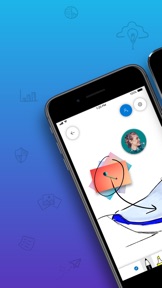
Microsoft Whiteboard provides a freeform intelligent canvas where teams can ideate, create and collaborate visually via the cloud. Designed for pen and touch, it lets you write or draw as smoothly as you would with ink, while automatically recognising and transforming shapes and tables as you draw. It enhances teamwork by allowing all team members to edit and comment directly on the canvas in real time, no matter where they are. And all your work stays safe in the cloud, ready to be picked back up from another location or device.
-- Create freely, work naturally –
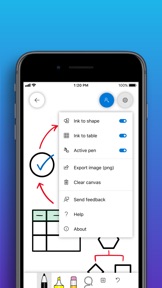
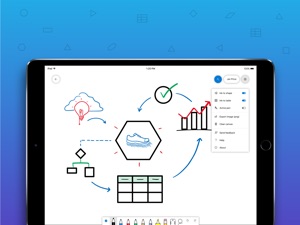
Microsoft Whiteboard provides an infinite canvas where imagination has room to grow: draw, type, add a sticky or an image, stack things up, move them around – it’s all possible. The touch-first, pen-first interface frees your ideas from the keyboard, and the intelligent inking technology transforms your doodles into great-looking tables, shapes and lines that can be copied, pasted and combined with other objects.
--Collaborate in real time, wherever you are—
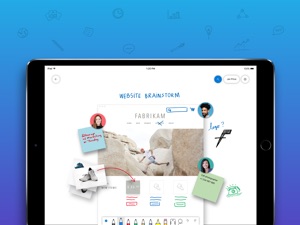
Microsoft Whiteboard brings every member of a team together, whether they’re huddled around a wall-size touchscreen or working from their own devices across the globe. On the Whiteboard canvas, you can see where others are in real time and start inking on the same area – or not. It’s about getting everyone on the same page – or board.
--Save automatically, resume seamlessly –
Forget having to take photos of your whiteboards, or marking them with “Do Not Erase”. With Microsoft Whiteboard, your brainstorming sessions are saved automatically to the Microsoft cloud, so you can pick up where you left off, whenever – and wherever – inspiration strikes next.

What's New in Version 20.10824.0.5403

This release contains regular bug fixes and quality improvements.

Seller

Information

Categories

Version

20.10824.0.5403

Size

222.3 MB

Game Center

No

VPP Device Licensing

Yes

Rating

Rated: 4+

Compatibility

iOS 12.0 or later

Devices

iPhone 5s, iPhone 6, iPhone 6 Plus, iPhone 6s, iPhone 6s Plus, iPhone SE, iPhone 7, iPhone 7 Plus, iPhone 8, iPhone 8 Plus, iPhone X, iPhone XR, iPhone XS, iPhone XS Max, iPhone 11, iPhone 11 Pro, iPhone 11 Pro Max, iPhone SE (2nd generation), iPad (5th Generation) Wi-Fi, iPad (5th Generation) Wi-Fi + Cellular, iPad (6th generation) Wi-Fi, iPad (6th generation) Wi-Fi + Cellular, iPad Pro, iPad Pro (Cellular), iPad Pro (9.7-inch), iPad Pro (9.7-inch) (Cellular), iPad Pro 12.9-inch (2nd generation), iPad Pro 12.9-inch (2nd generation) Wi-Fi + Cellular, iPad Pro (10.5-inch), iPad Pro (10.5-inch) Wi-Fi + Cellular, iPad Pro (11-inch), iPad Pro (11-inch) Wi-Fi + Cellular, iPad Pro 12.9-inch (3rd generation), iPad Pro 12.9-inch (3rd generation) Wi-Fi + Cellular, iPad Air, iPad Air (Cellular), iPad Air 2, iPad Air 2 (Cellular), iPad Air (3rd generation), iPad Air (3rd generation) Wi-Fi + Cellular, iPad mini Retina, iPad mini Retina (Cellular), iPad mini 3, iPad mini 3 (Cellular), iPad mini 4, iPad mini 4 (Cellular), iPad mini (5th Generation), iPad mini (5th Generation) Wi-Fi + Cellular, iPad (7th generation) Wi-Fi, iPad Pro 11-inch (2nd generation), iPad Pro 11-inch (2nd generation) Wi-Fi + Cellular, iPad Pro 12.9-inch (4th generation), iPad Pro 12.9-inch (4th generation) Wi-Fi + Cellular, iPod touch (6th Generation), iPod touch (7th generation)

Languages

English, Arabic, Bulgarian, Catalan, Chinese, Croatian, Czech, Danish, Dutch, Estonian, Finnish, French, German, Greek, Hebrew, Hindi, Hungarian, Icelandic, Indonesian, Italian, Japanese, Korean, Latvian, Lithuanian, Malay, Norwegian Bokmål, Norwegian Nynorsk, Polish, Portuguese, Romanian, Russian, Serbian, Slovak, Slovenian, Spanish, Swedish, Thai, Turkish, Ukrainian, Vietnamese

App Store: Customer Ratings

Ratings & Reviews

2.5 of 5 (61 Ratings)

App Store: Customer Reviews

2020-08-17

Can’t invite friends to cooperate

Whiteboard is an useful app, but there are some problems to invite my friends to draw together.
Yong.D
Version 20.10727.0.5366
2020-08-14

It’s okay

I have been using it for a while now and had to give it up because my iPad just would overheat and crash. It works fine sometimes a little iffy but I needed to add a fare few photo to the whiteboards and a lot of the times it just wouldn’t sync it so then the other person would see nothing
Lolwokrit
Version 20.10727.0.5366
2020-08-09

Great concept, poor experience

This is a great concept and we have tried to use it as a team a number of times. But it’s very slow to load, glitchy especially when trying to move around and zoom in and out. Palm detection when using Pencil on iPad doesn’t work so frustrating trying to keep working in the same place.
It also lacks important features like handwriting recognition and the ability to add things like sticky notes, which other MS apps have and in 2020 should be a given. Hoping like many other MS products it gets better really quickly.
GrootG
Version 20.10713.0.5338
2020-07-29

Dont download this app.....

This app has amazing potential
BUT.....
It crashes almost instantly when a whiteboard more than one line on it....
Microsoft need to fix this ASAP
dont bother downloading it if you need a reliable program for study or teaching...
MasYdoblig
Version 20.10713.0.5338
2020-06-19

Good ... but very flaky with AD integration

I’d give it 4 stars for being surprisingly useful, except that the integration with MS’s own AD Authenticator app is *very* flaky and broken. The result is that for corporate users it repeatedly pops back to the Authenticator app to reselect the one and only AD account and then it regularly “forgets” the link and stops you from being able to export images even to other MS apps like Outlook. Once this happens the only recovery forces the deletion of all saved images.
Fix this Microsoft and I’ll give this 4 stars. Some improvements and it’d probably be 5.
pbruffy
Version 20.10601.1.5253
2020-06-04

The latest version is unusable

Crashes all the time. Only able to display part of what I write.
junnanz1224
Version 20.10518.0.5186
2020-06-03

Just doesn’t work

Trying to switch boards always crashes it. You need to restart it may 4 to 5 times to open an existing board. Once you get it open it is stable enough.
zork1970
Version 20.10518.0.5186
2020-05-28

Oh my god great app no issues

This is the best drawing app ever I love
kkkAkksksoisjskdj574
Version 20.10420.2.5136
2020-05-18

Shows promise, but not there.

Amazing product that isn’t yet polished. Slow, laggy and difficult to use on iPad or touchscreen alike with palm rejection not yet working like it should.
If the speed and palm issues were fixed... I’d find it difficult to not use this app in every meeting.
Aussie BJ
Version 20.10420.1.5102
2020-05-02

Good but needs some improvements

This is probably one of the better whiteboard apps I have used.
Improvements:
1) be able to ‘lock’ your whiteboard so no one can make changes or delete it by accident
2) be able to make copies/backups of your whiteboard (there is no trash where you can retrieve it)
3) Extraction of images blurs inserted typed text
4) Make extraction of high quality images easier. You only get SVG which you have to recode the file if you want a good dimensions
Tim3728
Version 20.10406.1.5042
2020-05-02

Utterly hopeless as an iPad app

Lack of wrist protection means it constantly zooms in and out randomly.
Can't drag and drop a picture onto the canvas.
Half the time you can't open an old whiteboard without logging out and logging in again.
Lots of fancy features, but fails dismally on the fundamentals.
Ebia0
Version 20.10406.1.5042
2020-04-06

Why dose it always freeze??????

When I use it, I feel like a extremely slow man. When there is too much on a page, the page starts freezing and forces me to add a new page. When I clear the memory, I come back with a frozen pic. This really delays my work, reduces the its performance and ruins my expectations. Please fix it, it is a great problem.
寂静的阿兰若
Version 20.10309.0
2020-03-30

Whiteboard freeze

Looks great, has all the features and links to Office 365. But it freezes whenever I use the lasso, whenever I resize an image, whenever I add a second image, whenever ....... should i go on? This makes it completely useless in the classroom...... (iPad Pro 2019)
Andymac09
Version 20.10309.0
2020-03-29

Could be better

I read through the reviews and thought “well I should try it out” but when I tried it,I found a few errors. I shouldn’t be repeating what the others have said so read through the others. But my main problem is that it glitches alot
R00PkAuR
Version 20.10309.0
2020-03-18

Close to great, but falls flat

Microsoft has produced the Joe Biden of whiteboard apps: great at first glance, but underperforms when put to the test.
Please fix bugs that occur when sharing whiteboard with colleagues, palm rejection issues, and add double-tapping Apple pen for eraser.
Zizzakazziz
Version 20.10224.0
2020-03-18

So close to perfect

The best free online whiteboard, but poor palm rejection, no apple pencils 2.0 function, and a bit glitchy when reading others writing (it sometimes doesn’t load fully what they wrote)
curt2222020202
Version 20.10224.0
2020-03-16

Homework

This spudied app maesk me da homewark
HameWaRk
Version 20.10224.0
2020-02-24

Whiteboard

Doesn’t save sign in details? Goodbye!
3 Bear
Version 20.10127.0
2020-02-17

Almost good

I would like this app, but the issue of resizing when I reset my hands in my iPad as I use my pencil needs to be fixed for this to be a great app. I’ve generally given up using it because of the problem, so please fix in the next update.
Dr*EL
Version 20.10127.0
2020-02-13

Whiteboards ERROR

Please fix. Created whiteboards don’t automatically save when changing between created whiteboards. Whiteboard comes up as “ERROR” unsaved changes. There is no save button and cannot re-enter problem whiteboard as it crashes the app. Have to delete created whiteboards and start my notes again. I’ve looked at other apps but so far would prefer this one. Please fix.
Cheers - Jayne
j46n3
Version 20.10113.0
2020-02-09

Still a long way to go

App still freezes randomly. Really wish this was a good app because it has so much promise but I simply can’t rely on this in the classroom.
watashiwajei
Version 20.10113.0
2020-01-21

Plagued with Annoying Repeating Login Screens

This is probably the best whiteboard app currently available, but the last thing I want to do is when I have an idea, is get a login screen. Worse than that, the thing keeps coming up, even when I am in the middle of drawing, even after what seemed like a successful login.
For this reason, it’s one of the most annoying apps I’ve ever used. Straight up ghoulish.
Skywok
Version 19.11216.0
2019-11-09

Palm rejection

This app is exactly what I’m looking for, but I can’t use it because my palm disrupts the entire page when I’m writing. Please implement a lock zoom or palm rejection so this app is actually fit for purpose.
kelsieoleary
Version 19.11007.1
2019-11-02

Can’t recommend for anything other than simple drawings

I enjoy the simplicity and the features this app provides. But on a 2019 iPad , I experience massive slow downs and freezes after writing just a couple paragraphs, especially when using the lasso tool.
Email signup should not be mandatory for such a simple app, but an optional feature for cloud syncing.
App crashes consistently if you have unsaved changes, and attempt to re-access them from the file menu. I wrote for about an hour, and managed to lose everything I had written in that time.
MikeMac-AU
Version 19.11007.1
2019-10-02

Looks promising

Microsoft have surprised me another little usable app. This is quite an okay whiteboard app but it really needs better palm rejection when using a pen, as it keeps resizing or scrolling inappropriately (maybe these should be lockable as well). Also the resize and rotate handle doesn’t show for all selections, just small simple ones. The line tool seems to always move a bit when lifting my fingers.
As for new features, I think more smart shapes like straight lines and Béziers would be a good start. Even more stencils like adjustable French curves, sinusoids, tans, arcs, etc would be useful. A pen to text option would also be fantastic (especially if it supported Greek symbols for maths).
Real time broadcasting/collaboration would be the icing on the cake.
321Scatter
Version 19.10909.0
2019-09-04

Great Design but Poor Performance

This app is designed beautifully and slim, however, there are so much lagging, unresponsive moments surrendering any use as a thought mapping tool. A total disaster!
Rachliang
Version 19.10715.1
2019-08-21

Really good but...

This app is extremely useful and has great features. But there’s a pretty significant lag that occurs at seemingly random times on my iPad Pro with the Apple Pencil v2. Hope MS releases a fix soon!
JR-JA
Version 19.10715.0.2
2019-06-18

Excellent app for iPad Pro

Use this app to capture ideas and thoughts and find the interface intuitive and simple - a great companion to the iPad Pro’s capability.
Surprised this app doesn’t feature in more Top 10 lists. Doesn’t have all the bells and whistles but means I get to focus on the task and don’t waste time trying to navigate an app that tries to do everything.
Mez Rocks
Version 19.10521.2
2019-05-23

It’s so good you get to make creations and also learn

Thanks for the app I get to use it in class now
chillie.sauce
Version 1.19104223
2019-04-27

Export is low-res

The app is great but the export is too low resolution to be useful. It’s actually better to just take multiple screenshots and crop them to put in OneNote. Not such a great workflow.
Josh Bowman
Version 1.19101281
2019-02-15

Great concept, with bad optimisation.

Was great for a while but got super laggy on a friend’s iPad Air 2 (to the point where it was near to impossible to zoom)
Another thing is that you can’t zoom in while using a pen tool (like every other whiteboard or note taking app on the AppStore)
It would also be helpful for sticky notes be able to be manipulated and when it is sized up for the text to fill the space rather than cutting off.
Great app!
Monklified
Version 1.19101103
2019-01-24

A good start, missing a bunch of basic features

I can see the potential, though this is little more than a glorified shared sketching app. Features I’d like to see:
- Link sharing should at least have the option to share a QR code, and for iOS using the share sheet and even airdrop would be smart.
- Restrictions for the classroom; if I’m going to have a bunch of kids on this, I’d want to at least lock them out of changing the background, and perhaps only editing their own sticky notes. Some more thought there would be great.
rgannell
Version 1.1811121
2018-11-25

Almost perfect

2 features would make this a perfect App. One is being able to lock the zoom so accidental touch while writing won’t mess up the zoom or move the content. (Annoying while recording the screen) Second would be changing the position of the toolbar to top, left or right so accidental touch won’t change the tool while writing. Thanks!
Jack4282
Version 1.1811022.2
2018-11-20

A few bugs

Dear Microsoft Employe and users,
This brand new application from the Microsoft development team is quite a great application, this does still have bugs such as when trying to open or create whiteboards (Especially on Wi-Fi with blocks) can sometimes cause the app to disable all functions. There is a chance it is just my school block which is causing the bug, as it is known to stop certain apps (especially one's that require a log) being it's full potential.
- DoctorJackDev (Microsoft User, Xbox Player, Half Decent Game Devolper)
Doctor Jack_gameing
Version 1.1811022.1