AboutTermsPrivacyContact
 
Updating
Scribble Together Whiteboard

Scribble Together Whiteboard

Released: 2017-08-03
© 2020 Scribble LLC
Scribble Together Whiteboard - QR Code
Version 2.24
4+
Download on the App Store
Version 2.24
4+
Download on the App Store
Released: 2017-08-03
© 2020 Scribble LLC

iPhone Screenshots

Screenshot
Screenshot
Screenshot

iPad Screenshots

Screenshot
Screenshot
Screenshot
Screenshot
Screenshot
Screenshot

Description

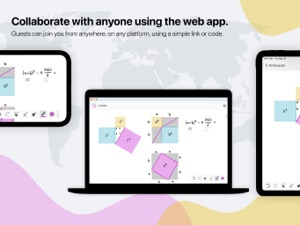
Draw to­geth­er in real time, from any­where! In seconds, any­one can follow along with your drawing or draw with you from the app or on the web. Use Scrib­ble along­side a call; talk with Face­Time or any other app you like.
DRAW ON ANY­THING
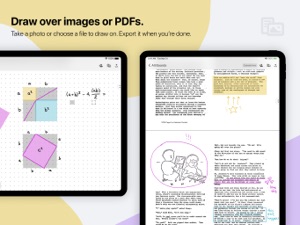
Draw over pdfs and im­ages. Snap a pic­ture of home­work and draw on it, or re­view a pdf to­geth­er. Once you are fin­ished, you can save out a new pdf with your an­no­ta­tions.
WEB OR APP
Work with any­one, even your guests who don’t have an iPad or iPhone. The web app can be used to draw us­ing a tablet, touch screen com­put­er, or sty­lus. Display your live drawing on a big screen in a classroom or conference room using any browser and a convenient link.
SET UP IN A SNAP
Get­ on the same white­board to­geth­er in seconds. No reg­is­ter­ing for an ac­count or adding con­tacts in yet an­oth­er app. Once you’ve con­nect­ed in Face­Time or by phone you can tell your guests to join you using a link or a code, for free, with no messy sign ups.
IN­FI­NITE SPACE, UN­LIM­IT­ED BOARDS
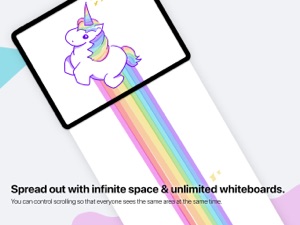
Control scrolling of the infinite drawing space so that everyone sees the same area at the same time. Whiteboards are unlimited, so you can start fresh for each topic. Unlike a real whiteboard, many people can draw in the same space at the same time!
POINT AND GES­TURE
Point­ things out as you’re speaking with Scribble’s vir­tu­al laser point­er. No more clumsy describing of which part of a pic­ture you're re­fer­ring to – just use the mag­i­cal dis­ap­pear­ing laser ink. Designate different colors if you and your guests both need to point.
PEN­CIL SUP­PORT
If you’ve got an iPad Pro and Apple Pen­cil, drawing feels especially great in Scrib­ble. It’s like us­ing pa­per, but you can draw with any­one, any­where in the world. You can also use Settings to decide what you’d like your finger to do while you have the Pencil in hand.
NEAT SHAPES, STRAIGHT LINES
Can’t draw in a straight line? Neither can we! Scribble helps you draw perfect lines and shapes. Draw and pause without lifting your marker: you’ll see your shape pop magically into a rectangle, circle, ellipse, parallelogram, trapezoid, triangle or straight line.
FREE FOR GUESTS
Invit­ing peo­ple re­quires Scribble membership, but your guests join you for free. The membership subscription comes free for 2 weeks per monthly subscription, or 1 month per annual subscription. Drawing on your own is also free, and you can keep your whiteboards if you decide you don’t want to invite others anymore.
Pay­ment will be charged to your iTunes ac­count at con­fir­ma­tion of pur­chase. The sub­scrip­tion auto-re­news at the same price un­less dis­abled in iTunes Ac­count Set­tings 24 hours be­fore the end of the pe­ri­od each month. You can go to scribble.cool/cancel for instructions to cancel your subscription and turn auto-renew off.
Terms of Ser­vice: https://scrib­ble­to­geth­er.­com/terms

What's New in Version 2.24

Renaming a whiteboard is now easier on iPad. When you have a board open, rename it by tapping on the board name and choosing Rename.
*:・゚*:・゚ ~~~~ May-Li and Bridger ~~~ *:・゚*:・゚

Seller

Name

Scribble LLC U.S.

Information

Categories

Version

2.24

Size

36.4 MB

Game Center

No

VPP Device Licensing

Yes

Rating

Rated: 4+

Compatibility

iOS 9.1 or later

Devices

iPhone 4S, iPhone 5, iPhone 5c, iPhone 5s, iPhone 6, iPhone 6 Plus, iPhone 6s, iPhone 6s Plus, iPhone SE, iPhone 7, iPhone 7 Plus, iPhone 8, iPhone 8 Plus, iPhone X, iPhone XR, iPhone XS, iPhone XS Max, iPhone 11, iPhone 11 Pro, iPhone 11 Pro Max, iPhone SE (2nd generation), iPad 2 (Wi-Fi), iPad 2 (3G), iPad (3rd Generation) (Wi-Fi), iPad (3rd Generation) (4G), iPad (4th Generation) (Wi-Fi), iPad (4th Generation) (4G), iPad (5th Generation) Wi-Fi, iPad (5th Generation) Wi-Fi + Cellular, iPad (6th generation) Wi-Fi, iPad (6th generation) Wi-Fi + Cellular, iPad Pro, iPad Pro (Cellular), iPad Pro (9.7-inch), iPad Pro (9.7-inch) (Cellular), iPad Pro 12.9-inch (2nd generation), iPad Pro 12.9-inch (2nd generation) Wi-Fi + Cellular, iPad Pro (10.5-inch), iPad Pro (10.5-inch) Wi-Fi + Cellular, iPad Pro (11-inch), iPad Pro (11-inch) Wi-Fi + Cellular, iPad Pro 12.9-inch (3rd generation), iPad Pro 12.9-inch (3rd generation) Wi-Fi + Cellular, iPad Air, iPad Air (Cellular), iPad Air 2, iPad Air 2 (Cellular), iPad Air (3rd generation), iPad Air (3rd generation) Wi-Fi + Cellular, iPad mini (Wi-Fi), iPad mini (4G), iPad mini Retina, iPad mini Retina (Cellular), iPad mini 3, iPad mini 3 (Cellular), iPad mini 4, iPad mini 4 (Cellular), iPad mini (5th Generation), iPad mini (5th Generation) Wi-Fi + Cellular, iPad (7th generation) Wi-Fi + Cellular, iPad Pro 11-inch (2nd generation), iPad Pro 11-inch (2nd generation) Wi-Fi + Cellular, iPad Pro 12.9-inch (4th generation), iPad Pro 12.9-inch (4th generation) Wi-Fi + Cellular, iPad Air4, iPad Air4Cellular, iPad EighthGen, iPad EighthGenCellular, iPod touch (5th generation), iPod touch (6th Generation), iPod touch (7th generation)

Languages

English, Chinese, German, Japanese, Korean, Portuguese, Spanish

App Store: Customer Ratings

Ratings & Reviews

4.5 of 5 (78 Ratings)

App Store: Customer Reviews

2019-07-02

Good

It’s one of the most entertaining
cfghghdghcghcghxf
Version 2.11