AboutTermsPrivacyContact
 
Updating
Energy Tracker

Energy Tracker

Released: 2017-02-08
© 2020, Stefan Nebel
Energy Tracker - QR Code
Version 7.1
4+
Download on the App Store
Version 7.1
4+
Download on the App Store
Released: 2017-02-08
© 2020, Stefan Nebel

iPhone Screenshots

Screenshot
Screenshot
Screenshot
Screenshot
Screenshot
Screenshot
Screenshot
Screenshot
Screenshot
Screenshot

iPad Screenshots

Screenshot
Screenshot
Screenshot
Screenshot
Screenshot
Screenshot
Screenshot
Screenshot
Screenshot
Screenshot

Description

With Energy Tracker, you can easily add, manage and evaluate meter readings. You can simply record your consumption of electricity, water, gas and heat.
Use the smart CSV import function for fast setup !!
How to add older meter readings is described in detail in the FAQ (general settings)!
Does your consumption increase or decrease? The app gives you the answer!
• No annoying advertising
• E-Mail Support (German / English)
• Easy to use
• iCloud & backup function
> Protect yourself against data loss
> Automatic Backup (Local & Cloud)
• CSV import function
> Recognition of date and meter readings
> Recognition of environmental data & descriptions
> Demo CSV available on the website
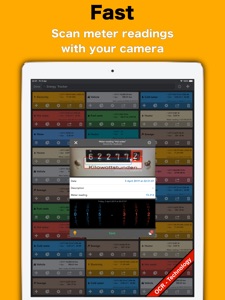
• Intelligent scanning - function for new meter readings
> Meter readings with the camera recognize (OCR)
• Reminder function
• New meter? - no problem!
> Supports meter exchange and much more
• Add older meter readings? - no problem!
> Possible via manual input
> Can also be implemented by using CSV import
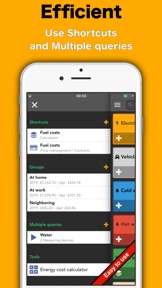
• Combine meters in groups
• Virtual measuring device
> For high and low tariffs
> Ideal for converting m³ in kWh (gas meter)
> Determine fuel consumption (for example, from km to liter)
> Add any number of consumption factors
> Combined measuring devices (e.g., cold & hot water)
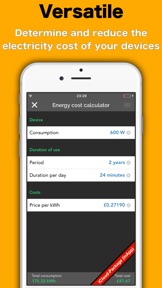
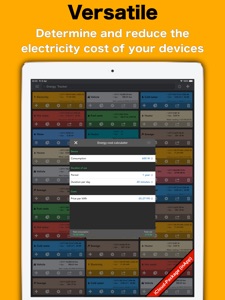
• Investigating your saving potential
> Where can you save money? - EnergyTracker knows it!
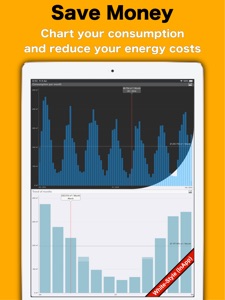
• Evaluate your consumption directly in the app
> Graphical analysis of:
• Continuous consumption
• Consumption per hour / day / week
• Consumption per month / quarter / year
• Change per week / month / quarter / year
• Trend of hours (00:00 - 23:59)
• Trend of days (Mon. - Sun.)
• Trend of months (Jan. - Dec.)
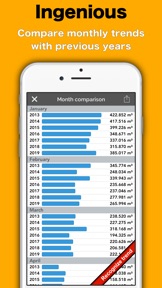
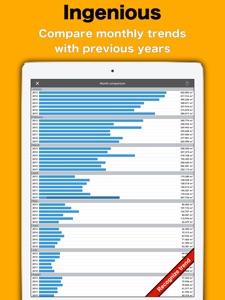
• Month comparison
• 3 - year - comparison
• Savings potential
• Current billing period
• Continuous costs
• Costs per day / week / month / quarter / year
> Rearrange, hide & rename charts
> Charts are available as full screen & exportable
> Set the interval of the evaluation
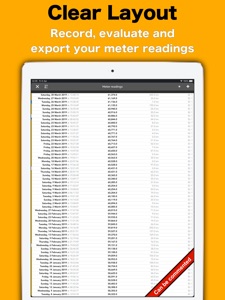
• Export your measurements with analysis as PDF or CSV file
• Style function
> Even more colors and icons available
> Individually set / import colors of the meter
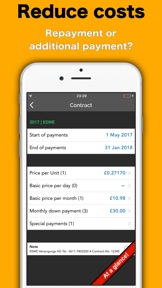
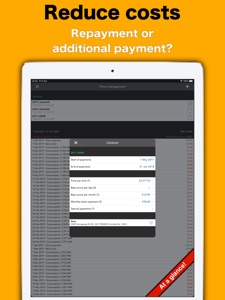
• Calculate your billing period
> Easily create their own contracts!
> Repayment or additional payment?
> How much should the new monthly advance payment be?
• Write a note to each measured value
• Share this with your friends!
• Password protection
• Help / Tutorial / FAQ available
+ Support further development
Users can support the developer via InApp purchase / subscription (see general settings / Support further development). The following subscriptions are offered: Package: XXS, XS, S, M, L, XL and XXL. The subscriptions have a period of one month and charge your iTunes account after confirmation of purchase. Note that the subscription is automatically renewed if automatic renewal is not deactivated at least 24 hours before expiration. If renewed, your iTunes account will be charged within 24 hours before the end of the current period. In the account settings subscriptions can be managed by the user. Among other things, automatic renewal can be deactivated here. Energy Tracker does not offer free subscriptions.
• Social networks
> https://www.facebook.com/EnergyTrackeriOS
• Privacy Policy & Terms of Use
> https://energy-tracker.best-ios-apps.de/#bottom-d
• Website / Contact
> https://energy-tracker.best-ios-apps.de
• PS:
If you have any questions or requests feel free to contact the support. Please check beforehand, if your questions can already be solved with FAQ / Video Tutorial.
Every comment helps to improve Energy Tracker.
enjoy ..
What's New in Version 7.1

# upgrade
+ Available on the MacBook with M1
+ Light control for the flashlight available
# You like Energy Tracker? Describe your experiences and write a comment!
>> Contact for questions or mistranslation:
- App / Settings / Contact
- Facebook: Energy Tracker - iOS

Seller

Name

Stefan Nebel

Information

Developer

Categories

Version

7.1

Size

85.7 MB

Game Center

No

VPP Device Licensing

Yes

Rating

Rated: 4+

Compatibility

iOS 13.0 or later

Devices

iPhone 5s, iPhone 6, iPhone 6 Plus, iPhone 6s, iPhone 6s Plus, iPhone SE, iPhone 7, iPhone 7 Plus, iPhone 8, iPhone 8 Plus, iPhone X, iPhone XR, iPhone XS, iPhone XS Max, iPhone 11, iPhone 11 Pro, iPhone 11 Pro Max, iPhone SE (2nd generation), iPhone 12, iPhone 12 Pro, iPhone 12 Pro Max, iPhone 12 mini, iPad (5th Generation) Wi-Fi, iPad (5th Generation) Wi-Fi + Cellular, iPad (6th generation) Wi-Fi, iPad (6th generation) Wi-Fi + Cellular, iPad Pro, iPad Pro (Cellular), iPad Pro (9.7-inch), iPad Pro (9.7-inch) (Cellular), iPad Pro 12.9-inch (2nd generation), iPad Pro 12.9-inch (2nd generation) Wi-Fi + Cellular, iPad Pro (10.5-inch), iPad Pro (10.5-inch) Wi-Fi + Cellular, iPad Pro (11-inch), iPad Pro (11-inch) Wi-Fi + Cellular, iPad Pro 12.9-inch (3rd generation), iPad Pro 12.9-inch (3rd generation) Wi-Fi + Cellular, iPad Air, iPad Air (Cellular), iPad Air 2, iPad Air 2 (Cellular), iPad Air (3rd generation), iPad Air (3rd generation) Wi-Fi + Cellular, iPad mini Retina, iPad mini Retina (Cellular), iPad mini 3, iPad mini 3 (Cellular), iPad mini 4, iPad mini 4 (Cellular), iPad mini (5th Generation), iPad mini (5th Generation) Wi-Fi + Cellular, iPad (7th generation) Wi-Fi, iPad Pro 11-inch (2nd generation), iPad Pro 11-inch (2nd generation) Wi-Fi + Cellular, iPad Pro 12.9-inch (4th generation), iPad Pro 12.9-inch (4th generation) Wi-Fi + Cellular, iPad Air (4th Generation) (Wi-Fi), iPad Air (4th Generation) (Wi-Fi + Cellular), iPad (8th generation) Wi-Fi, iPad (8th generation) Wi-Fi + Cellular, iPod touch (6th Generation), iPod touch (7th generation)

Languages

English, Afrikaans, Arabic, Chinese, Czech, Danish, Dutch, Finnish, French, German, Greek, Hindi, Indonesian, Italian, Japanese, Korean, Malay, Malayalam, Norwegian Bokmål, Portuguese, Russian, Spanish, Swedish, Thai, Turkish, Vietnamese, Zulu

App Store: Customer Ratings

Ratings & Reviews

4.0 of 5 (11 Ratings)

App Store: Customer Reviews

2018-02-26

Good app

This app is so amazing, please add more graphics and power consumption statistics
Diana.90
Version 3.0
2018-02-26

Very helpful

Great statistics and graphics. Easy to save them,export and share.
Christiana_1991
Version 3.0
2018-01-17

Helpful

A smart way to track and mange your power bills.
maimoilamduoc
Version 3.0
2018-01-15

Great savings

Simple and smart app to keep tab of power consumption. Would recommend to everyone
BarbaraGarcia
Version 3.0
2017-06-04

Decimal Inputs

Would be better if you could put higher values into inputs. For example the only unit I can use for the water meter is "Litres" however I need to put in kilolitre values. (eg. 4,208kl = 4,208,000 Litres) App will only allow me to put in 4,208.00(ltr)
Solution is to make more digits available or add unit of measure (KL) to available list.
Zeventy128
Version 1.3