Description
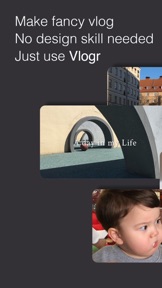
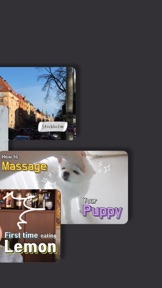
Vlogr is the most simple application where we can make some trendy youtube videos. Do you want to be a famous youtuber? Then you are in the right task!
Download Vlogr for an easy as pie cut-editing by just one single thumb's touch, typos that only well known youtubers use and funny sound effects for free. Also those songs that only cool kids use are all provided in our application. No matter if you don't have any experience on editing videos, you can use it very easily in one touch.
*Main Functions
Album:
—> Press a pictures/videos you want and drag it to the end! You don't need to tap all one by one, you can just use your thumb to press and drag in one second.
—> No fancy videos in your album? Then you can use Vlogr's camera! We've got tons of various types of filters, and it gets saved in your album as soon as you finish recording it.
Editing:
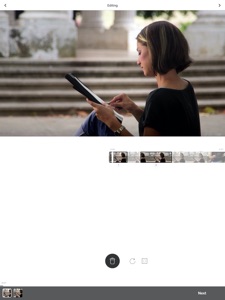
—> Let's cut clips by using one button! Tap on the button where you would like to use for your own video then re-tap the button to stop including.
—> Use your fingers to zoom in, zoom out, and rotate! By using one finger, you can localize videos into the direction you want, by using your index and your middle finger you can zoom in, zoom out and rotate videos into your wanted place.
—> Let's decide elegant background colors! Choose background colors to double the visual of your video.
Effects:
Text:
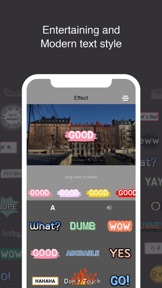
—> How do we know what typos youtubers use? Well, in Vlogr, we provide 100% synchronization of all typos famous youtubers use - various type from elegant to funny.
—> Want to make your video hilarious and entertaining? You can select a sound effect to make your video sound whimsical.
—> If you are a couch potato to put subtitles one by one? Then why not use the auto-subtitle function? On the bottom right corner, there's an auto-subtitle button that recognizes what you say and automatically writes down subtitles.
Music:
—> Wanna be a cool kid by using catchy songs? We offer musics from all kinds of genre, you can choose the appropriate song for your own video.
Sticker:
—> We project stickers that are most up-to-the-minute.
—> You can't find the sticker you want? Then use the research tool! As you type in the keyword of the sticker you want, all related stickers will be projected on the screen.
—> Want to also add in pictures? Then let's insert it! You can insert pictures from your album to make your video much more droll.
Thank you for using Vlogr.
Any inquires on errors and suggestions:
—> help@vlogr.net
—> You can also add us on Kakaotalk-Plus Friend by searching Vlogr. (Counseling time: Monday~Friday from 10:00AM~19:00PM in Korean time). We are willing to help you whenever there's a problem.
—> We also reply to AppStore reviews as soon as possible with our kindness.
MEMBERSHIP TRIAL AND SUBSCRIPTION TERMS
Start your Vlogr membership. Once the trial is over, you’ll be charged an monthly subscription fee. Your Vlogr membership will automatically renew unless auto-renew is turned off at least 24 hours before the end of the current period. You can go to your Settings > iTunes Account & App Store > Apple ID > Subscriptions to manage your membership and turn auto-renew off. Your iTunes Account will be charged when the purchase is confirmed.
Terms of service: https://vlogr.net/termsofuse
Privacy policy: https://vlogr.net/privacypolicy