Description
PDF Viewer Pro is a fast and beautiful app, allowing you to view, search and annotate PDF documents with ease on your iPhone and iPad.
Access your files from iCloud, Dropbox, Box, OneDrive, Google Drive or any other cloud solution via Apple's familiar Document Browser interface.
+++ Listed as “Productivity lifesaver” on the App Store +++
"A streamlined interface packed with powerful features - it’s like having a desktop-quality PDF toolkit wherever we go" – App Store Editor Notes
“I'm impressed by how the folks at PSPDFKit have been able to fine-tune the document browser to the app's needs.” – MacStories.net
"If you want a PDF viewer that is designed for reading PDF books, this is it." – App Review
VIEW DOCUMENTS ON THE GO
• Easily import a PDF from your favourite cloud service provider, email or directly off a website.
• Supports Open In Place, Drag & Drop and features the familiar Apple Document Browser interface from the Files app.
• Search for the exact text you are looking for within the document.
• Double tap on the screen to Smart Zoom directly to the text you want to read.
• Annotate images (JPEG, PNG) non-destructive, just like PDF documents. (PRO)
ANNOTATE WITH EASE
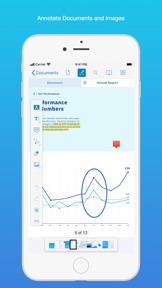
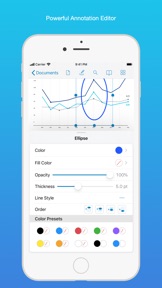
• While reviewing a document, use your finger or Apple Pencil to highlight and markup text.
• Leave comments by adding a note, text or drawing directly on the PDF.
• Add images or audio.
• Reply to notes. (PRO)
SIGN DOCUMENTS ANYWHERE
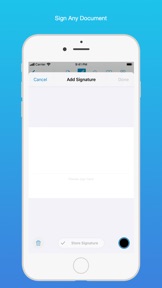
• Add your signature to any document using your finger or Apple Pencil.
• Move and resize your signature as needed.
• Flatten a document to ensure the signature doesn’t change.
CREATE AND EDIT PDFs
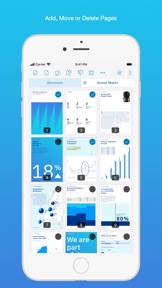
• Create new documents from existing documents by moving, rotating, deleting or adding new pages.
• Combine multiple documents into a single one. (PRO)
• Leave a simple bookmark or create an entire table of contents for your document.
FILL OUT FORMS
• Quickly fill out PDF Forms by adding text to the fields.
• Flatten and secure the form once you’re done to ensure the document doesn’t change.
• Add a signature to any Form.
STORE, ORGANISE AND SHARE
• Store documents, create folders and organise your documents.
• Share documents by printing, emailing or saving your edits back any cloud service.
PASSWORD PROTECT DOCUMENTS
• Read document metadata, title and keywords.
• Protect documents with user and owner passwords and limit permissions. (PRO)
AND SO MUCH MORE
• Conveniently switch to night mode when viewing your documents at night.
• Present on external screens without the distraction of toolbars. (PRO)
• Have the text from a PDF read out loud to you with text-to-speech.
• PDF Viewer remembers where you were down to the page/position where you left off - even across devices.
PRICING
PDF Viewer comes with a large feature set, completely free. Some advanced features require the purchase of PDF Viewer Pro, available as a subscription. We offer 3-monthly and yearly subscription plans. There’s also a fully functional 7-day trial, so you can test PDF Viewer Pro (including document merging and password editing) before you commit. All plans unlock the app on iPhone and iPad.
TRUSTED BY COMPANIES YOU KNOW
PDF Viewer is built on top of and powered by PSPDFKit, the same PDF engine trusted around the world by companies like Dropbox, Box, IBM, Atlassian, SAP and Lufthansa.
BE PART OF THE PDF VIEWER COMMUNITY
pdfviewer.io
twitter.com/pdfviewerapp
LEGAL
Duration and price of each subscription are displayed in PDF Viewers’ storefront, updated at the time of purchase. Payment will be charged to iTunes account at confirmation of purchase. Subscriptions automatically renew unless auto-renew is turned off no later than 24 hours before the end of the current period. Subscriptions and auto-renewal can be managed/turned off in the iTunes account settings. Any unused portion of a free trial period is forfeited as soon as a subscription is purchased.
Terms of Use: https://pdfviewer.io/terms
Privacy Policy: https://pdfviewer.io/privacy
What's New in Version 5
Ready for iOS 14. Faster text selection, modern menus, accessibility for annotations.
Here’s the full list of changes:
• Adds faster text selection that matches how text selection works across iOS and Mac.
• Adds modern menus on iOS 14 for the ‘more’ menu, annotation toolbar tool switching, and setting statuses on comments.
• Adds accessibility for annotations on pages.
• Add tooltips to the annotation toolbar and document editor toolbar. [Mac]
• Improves automatic merging of highlight annotations with the same color.
• Improves VoiceOver accessibility support when using the scroll per spread page transition by not automatically scrolling across pages when swiping left/right to change the focused element so that the behavior is more predictable.
• Improves accessibility of the signature popup’s color buttons.
• Fixes opening links not working when not using Safari as the default browser.
• Fixes an issue that resulted in the comments popup being shown instead of the annotation selection menu when tapping notes with certain device or split view sizes.
• Fixes the share sheet popover sometimes being positioned incorrectly when using the Share item in the text selection menu.
• Fixes the annotation toolbar sometimes being colored incorrectly when the other bars were hidden.
• Fixes some graphics in documents being drawn incorrectly.
• Fixes some form elements being included in the page rendering when shouldn’t have been.
• Fixes copying pages after duplicating pages more than once in the document editor sometimes causing a crash.
• Fixes a crash when tapping the escape key on a hardware keyboard immediately after tapping the Define text selection menu item.
• Fixes a crash due to a system issue when scrolling in the annotation list while Voice Control is turned on.
We’d love to hear your feedback! If you have ideas or feature requests for future versions of the app, feel free to let us know. You can contact us using the in-app Support button on the settings screen.
If you enjoy the app, please write us a review and help spread the word! Thanks!